Project Overview
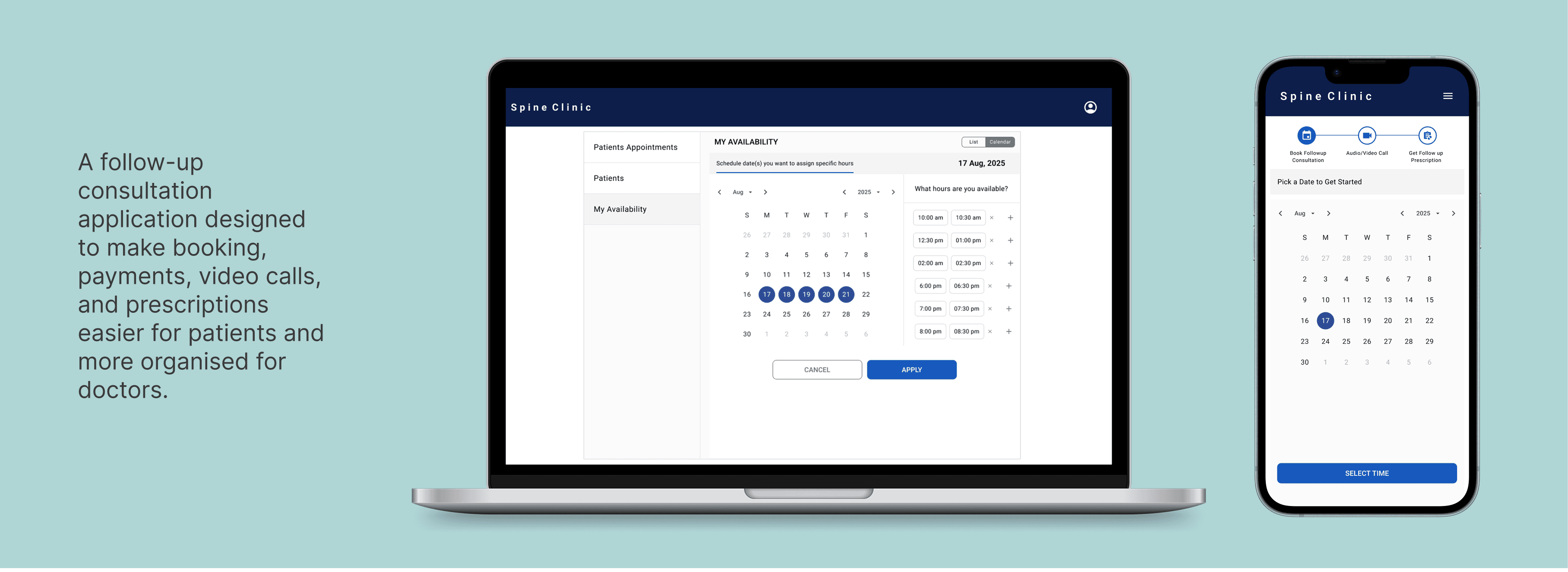
The compete doctor and patient follow-up process into one simple flow, earlier this both are juggling calls, links, payments, and prescriptions across different places, application brings one clean path that makes the consultation easier and stress-free.
Responsibilities
Define Patient & Doctor follow-ups journey
Secondary Research
Opportunity Mapping
Interface Design
Usability Testing
Challenge
Follow-up care for spine patients is often scattered across different channels, scheduling, payments, video calls, and prescriptions are not connected, which creates confusion for patients and extra work for doctors.
Research
I mapped how patients and spine specialists currently go through follow-up consultations. Patients often face unclear schedules, repeated calls, payment friction and difficulty finding consultation links or prescriptions. Doctors deal with scattered bookings, last-minute changes, and incomplete patient records. From these insights, it became clear that both sides need a single, organised system that brings everything together.
Opportunities Prioritisation
Concept is a unified follow-up journey that aligns both sides.
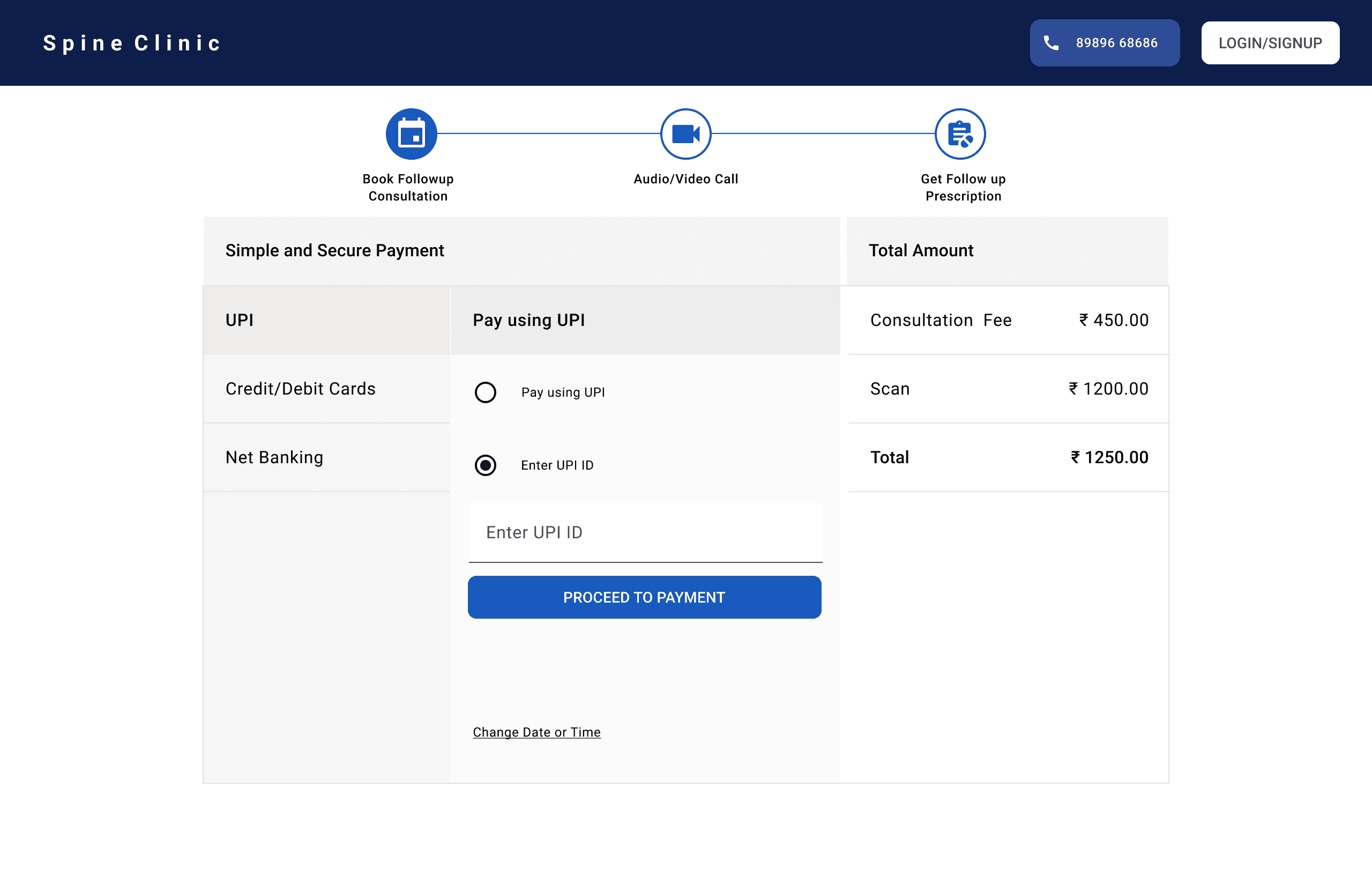
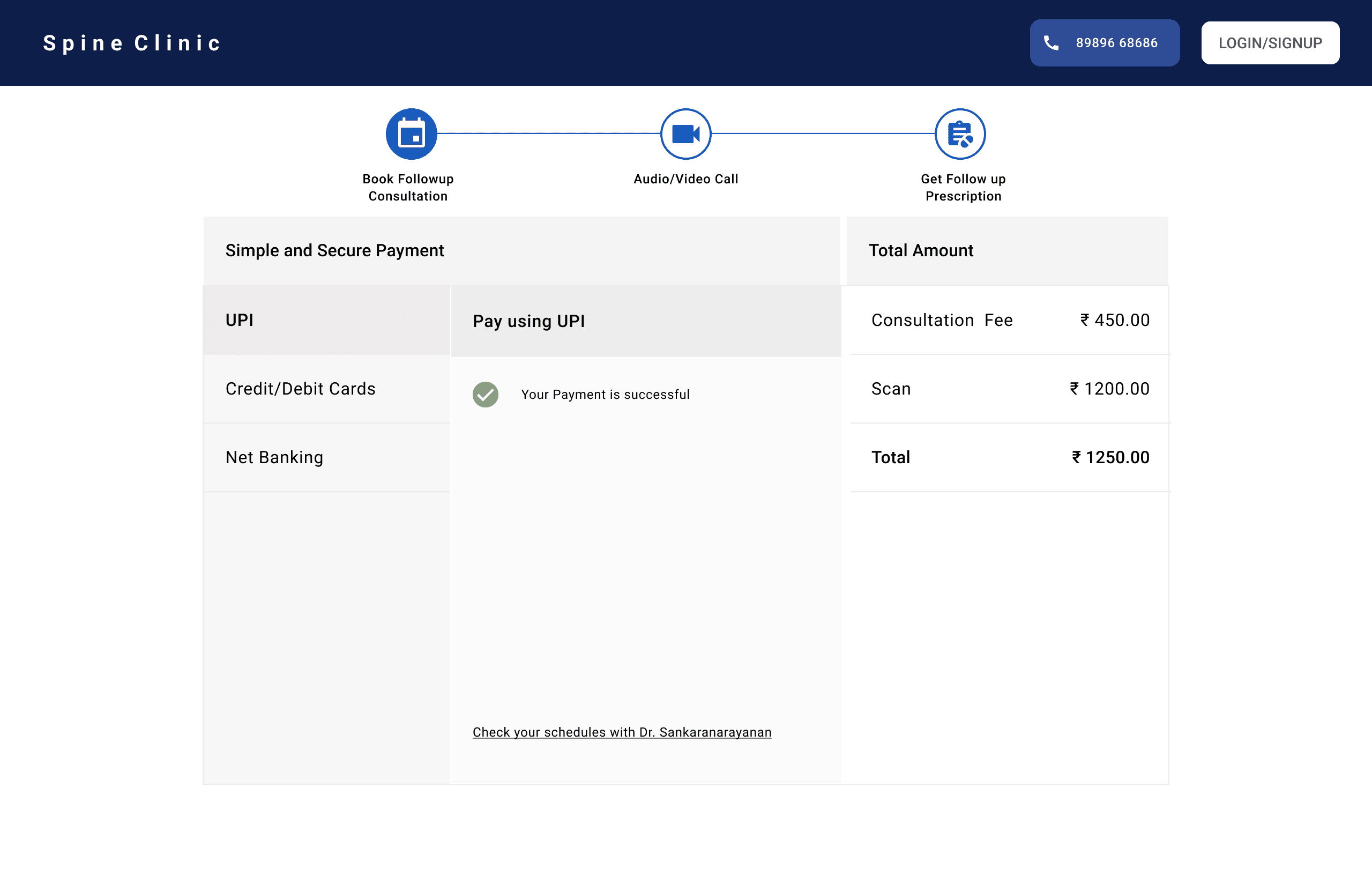
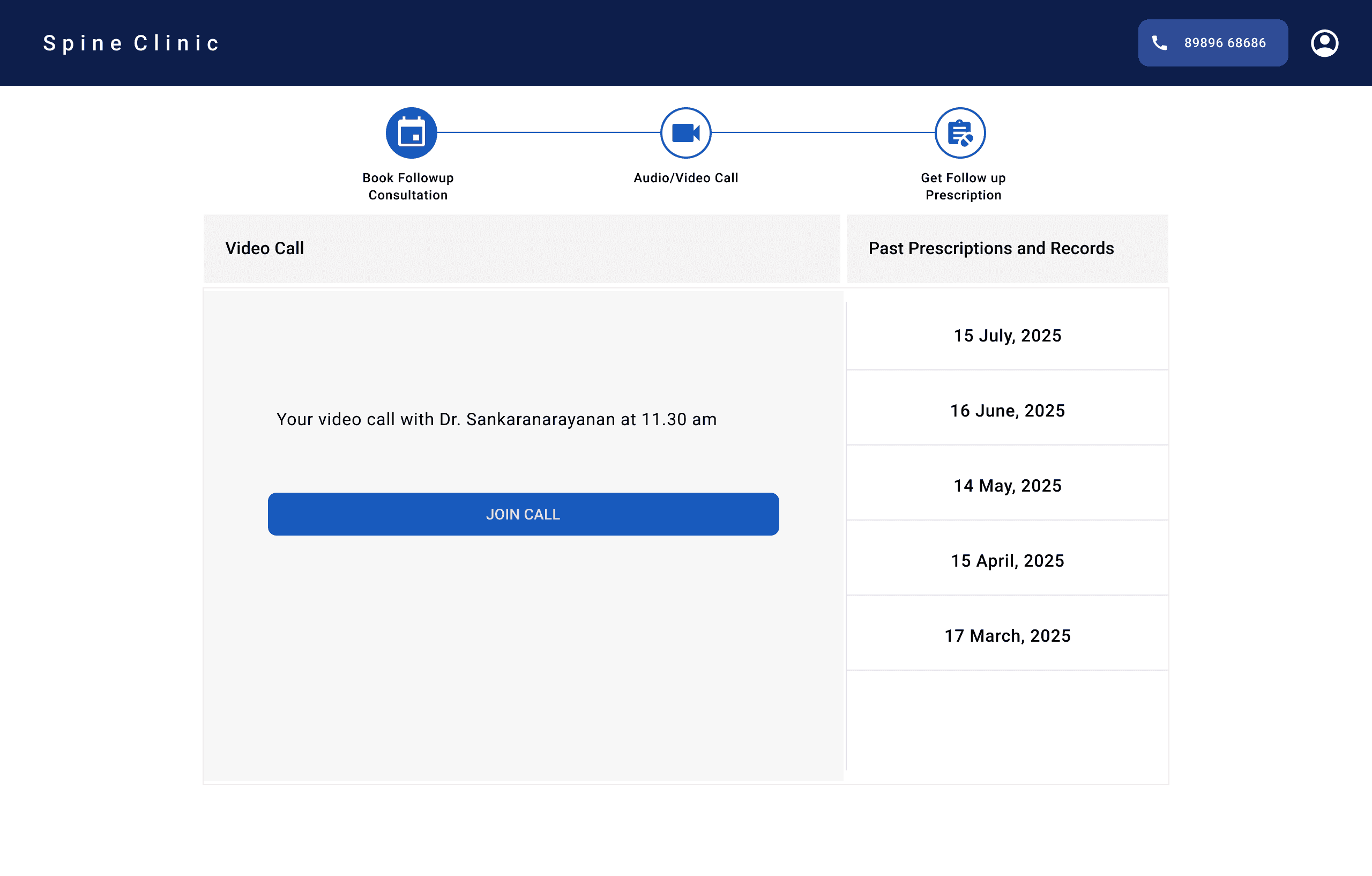
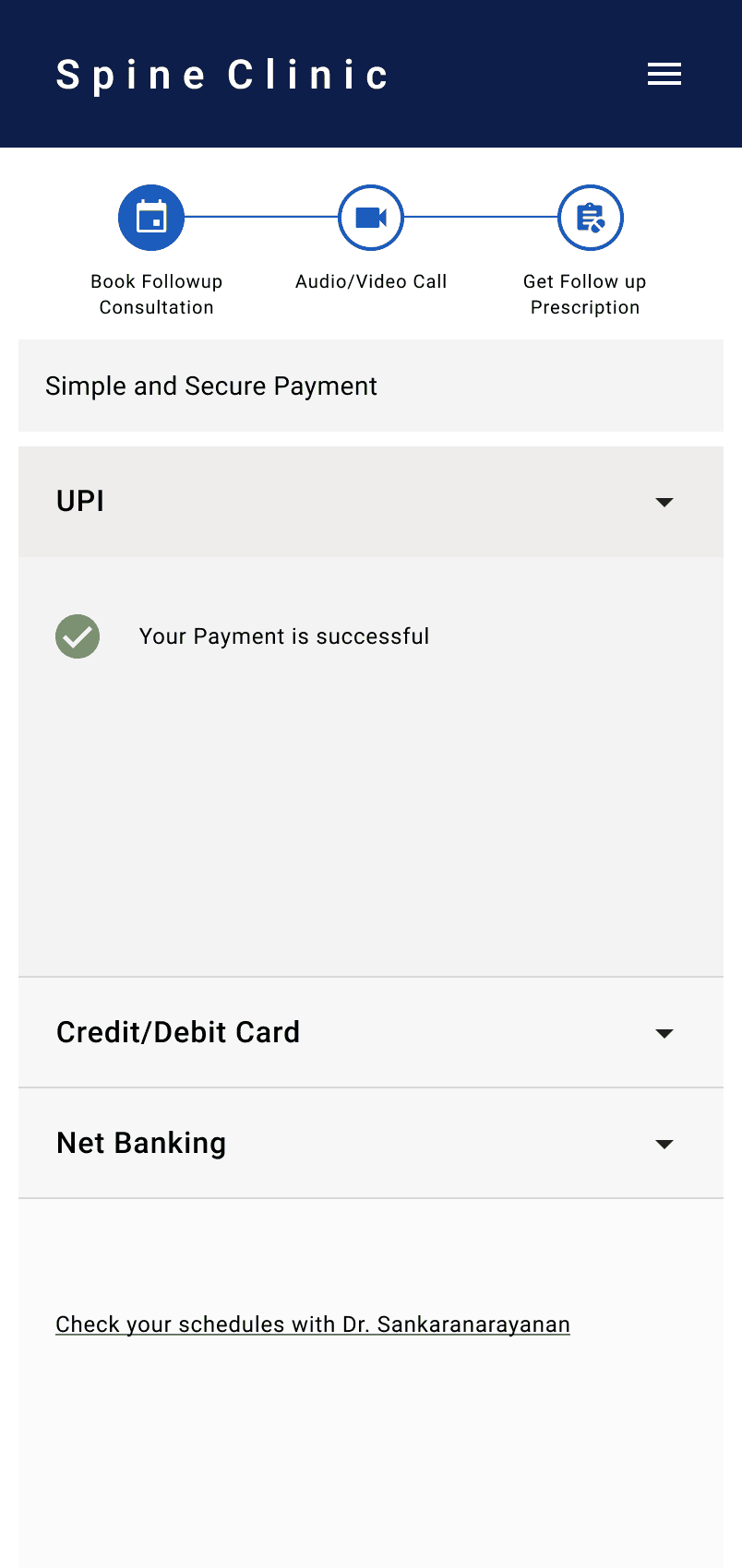
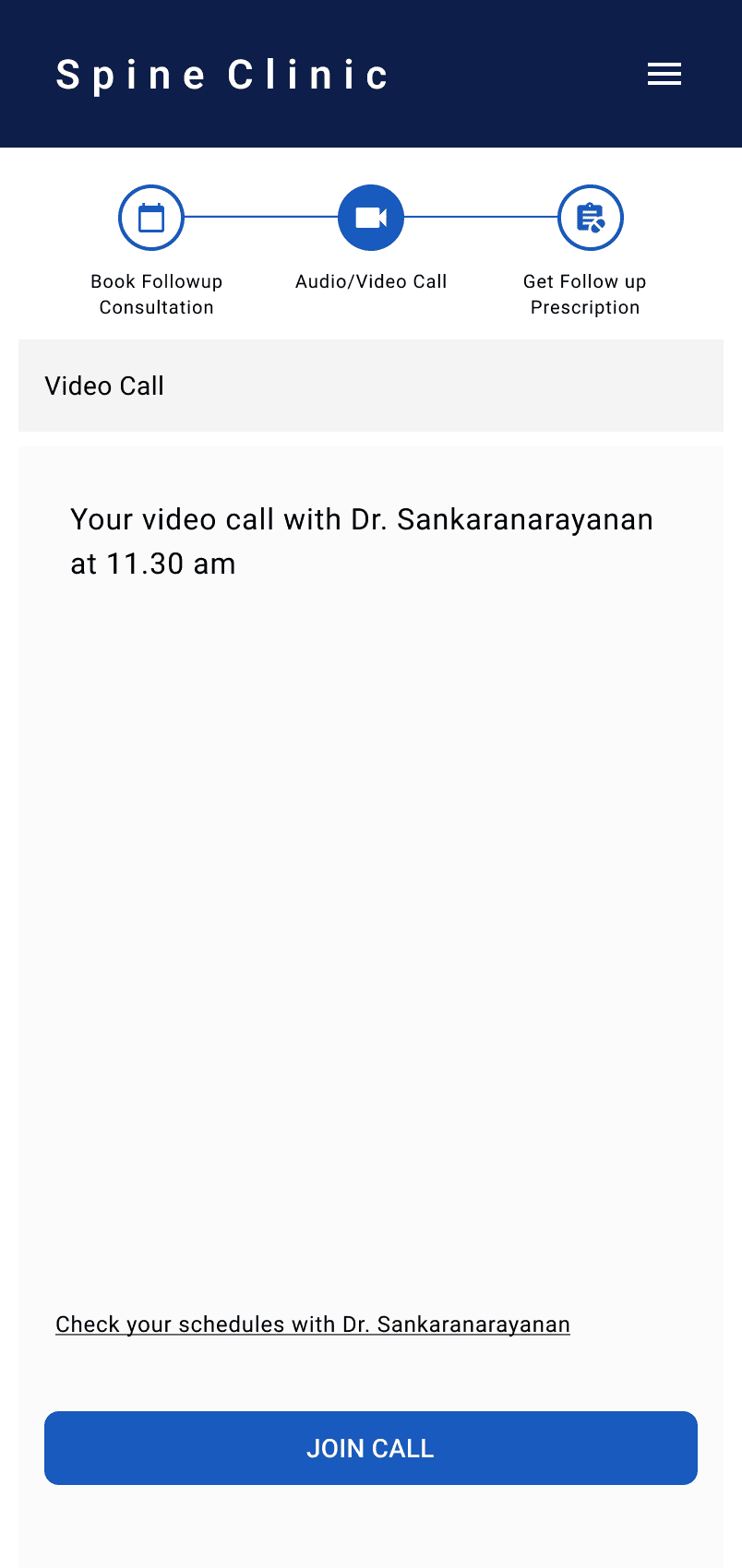
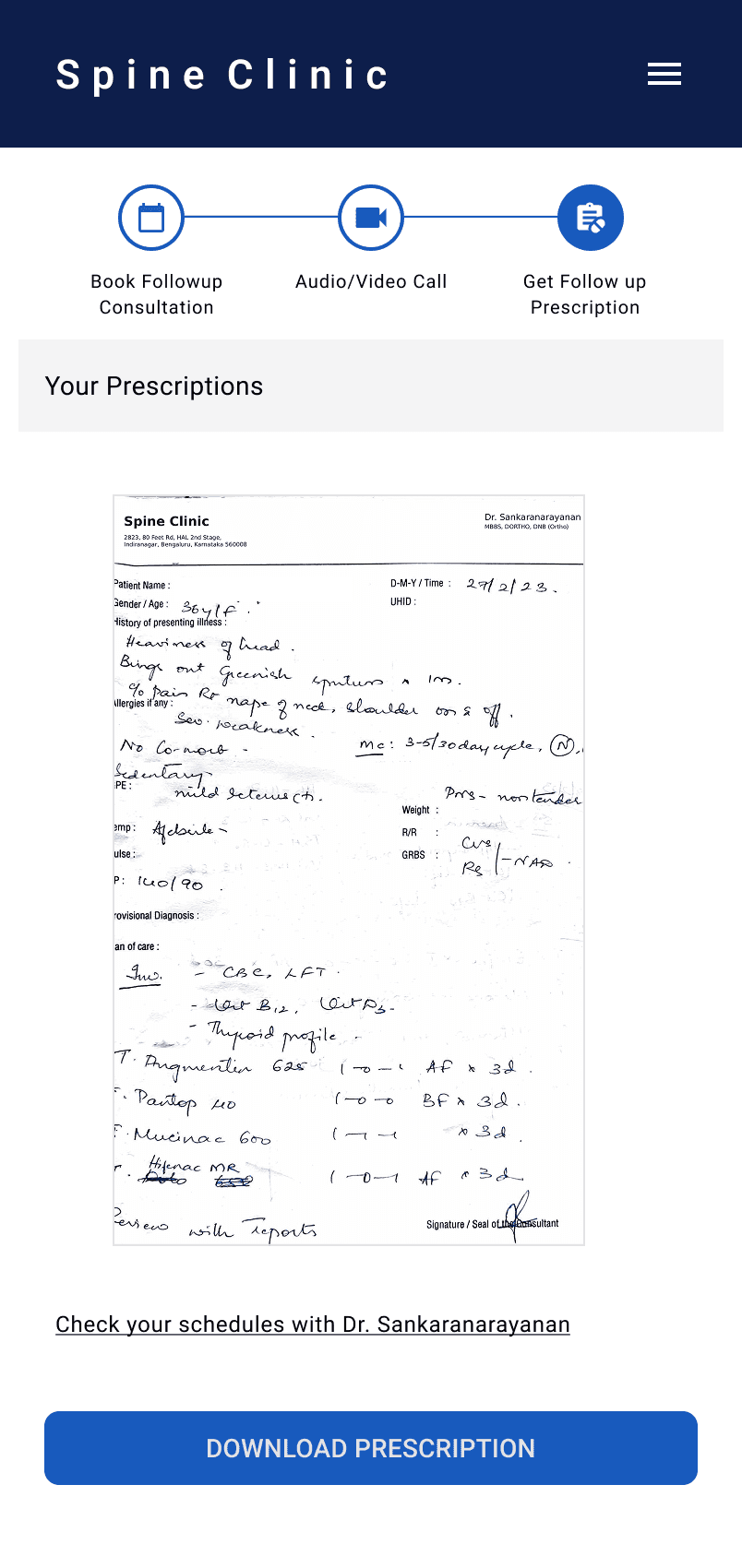
Patients move through one guided flow — booking → login → payment → call → prescription.
Doctors get a structured dashboard, full record access, and tools to manage availability and prescriptions inside the consultation itself.
This creates a predictable and stress-free process for everyone involved.
Every decision focused on simplicity and reducing cognitive load:
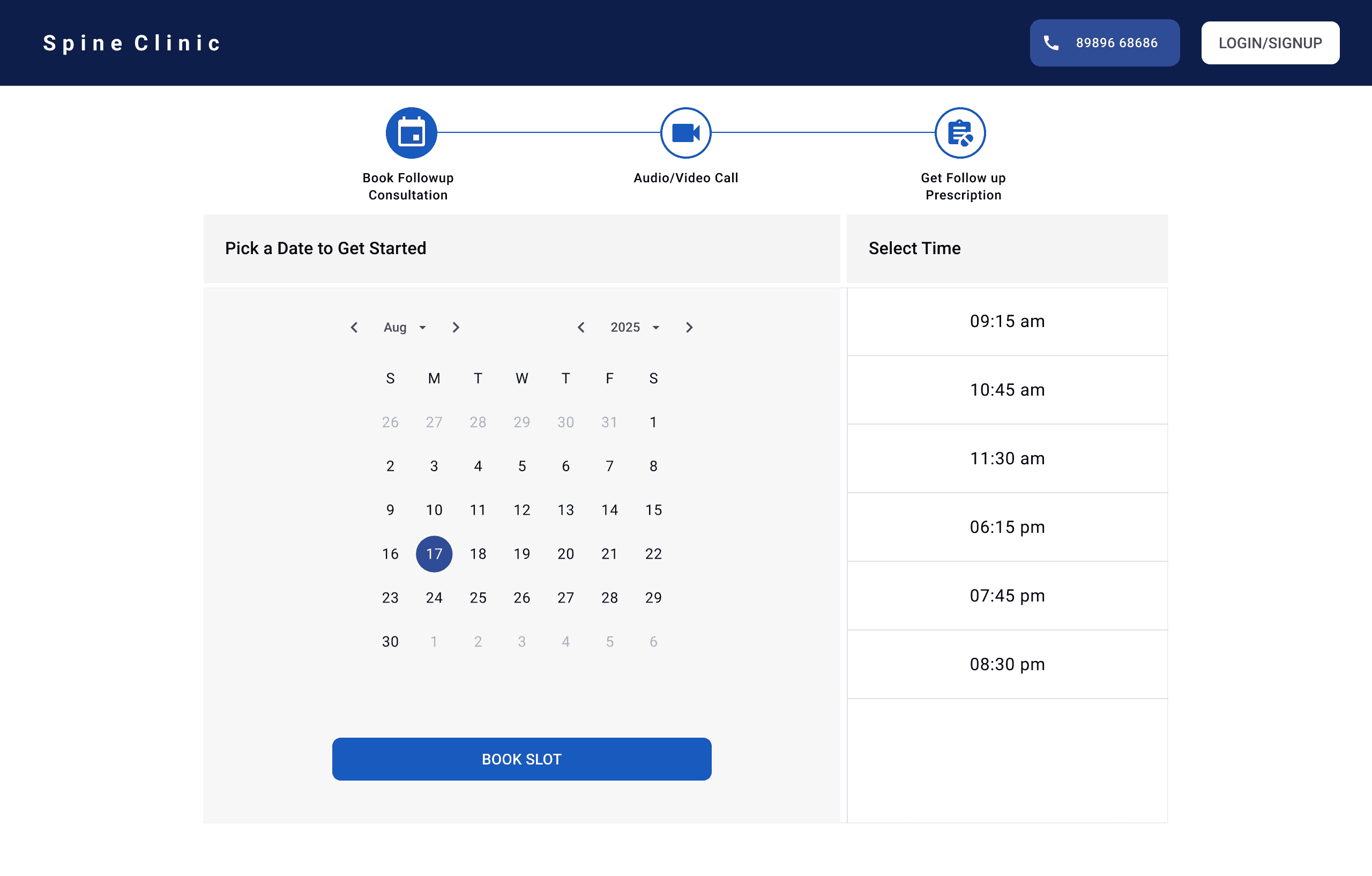
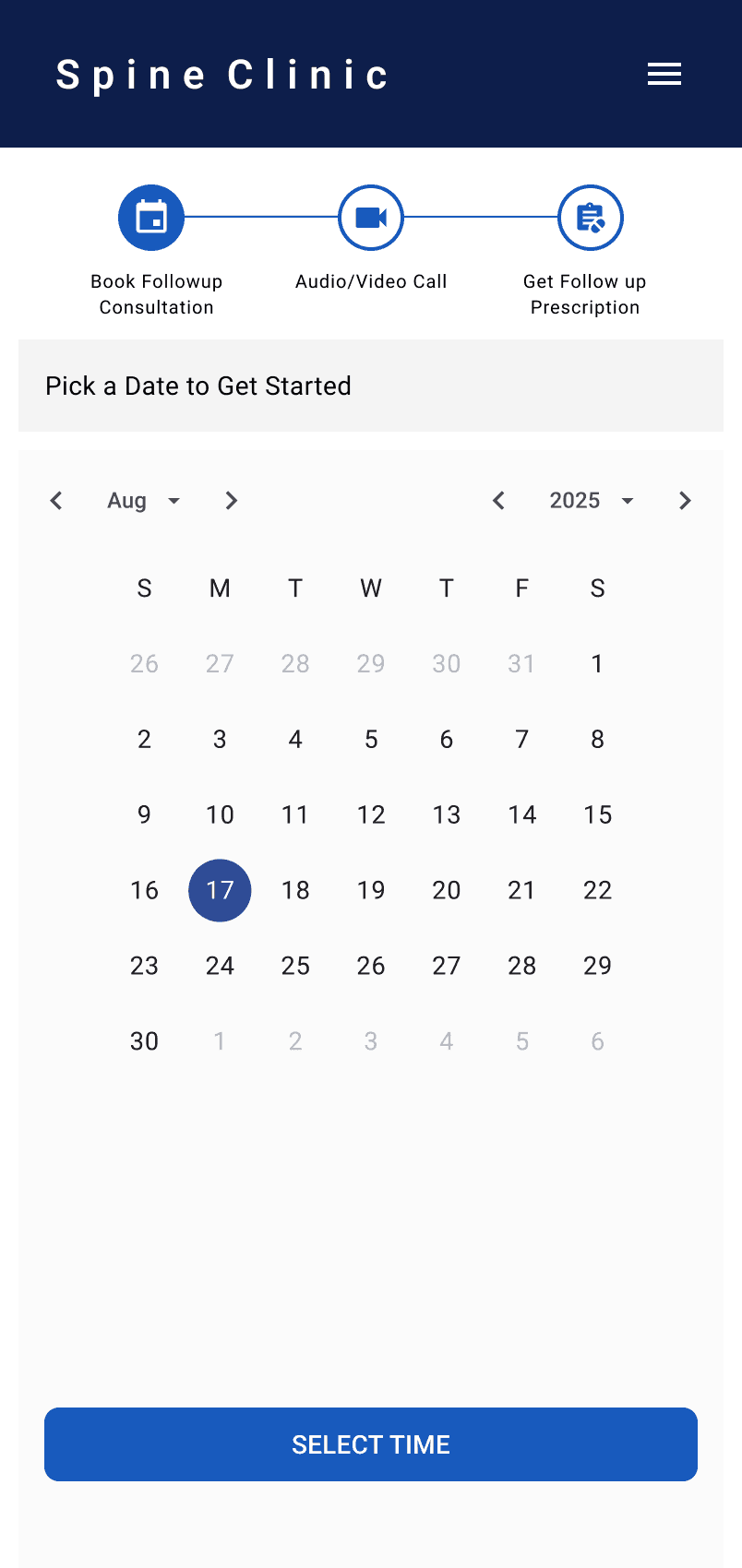
Calendar-first flow gives clarity before interaction begins
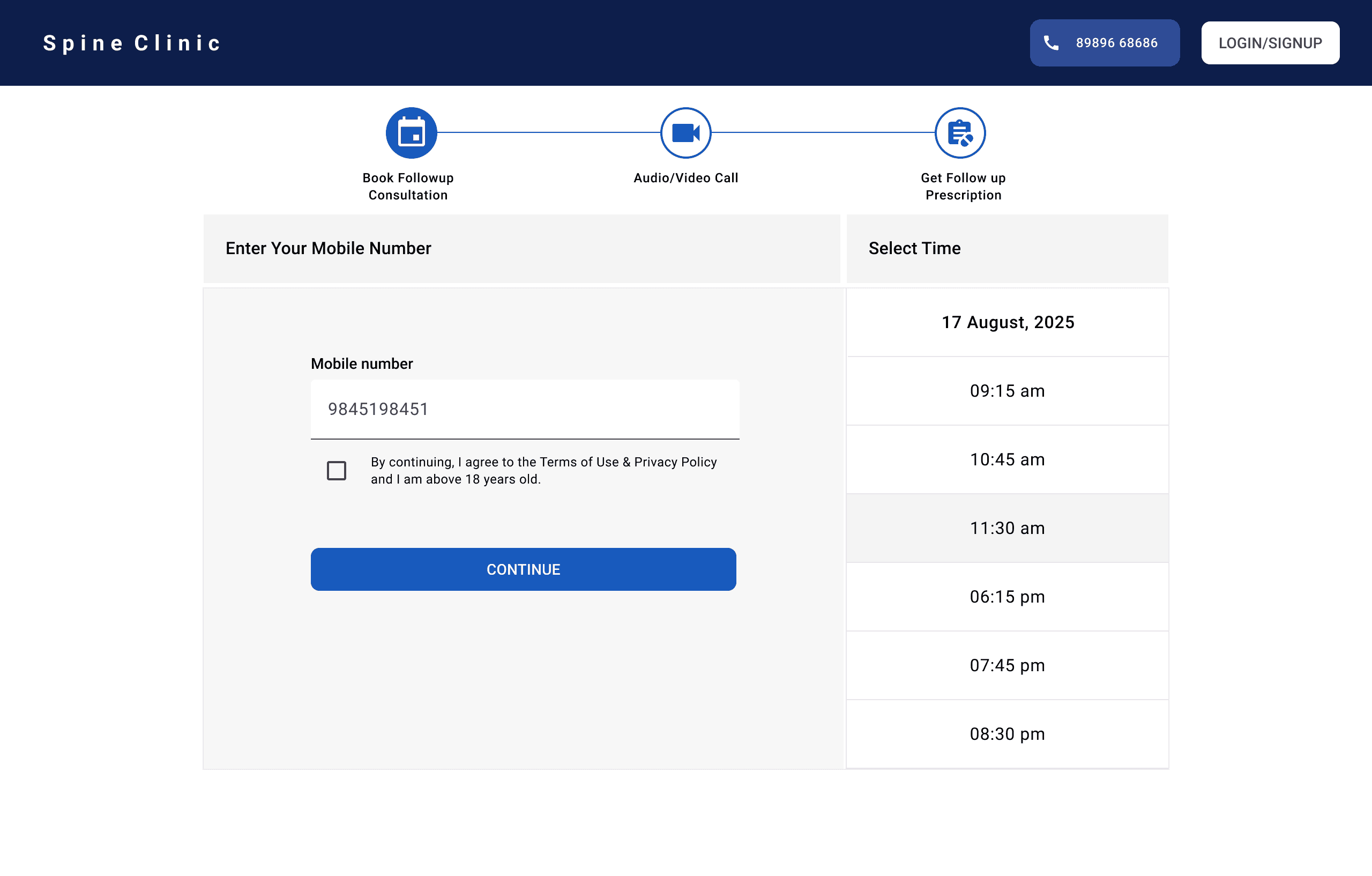
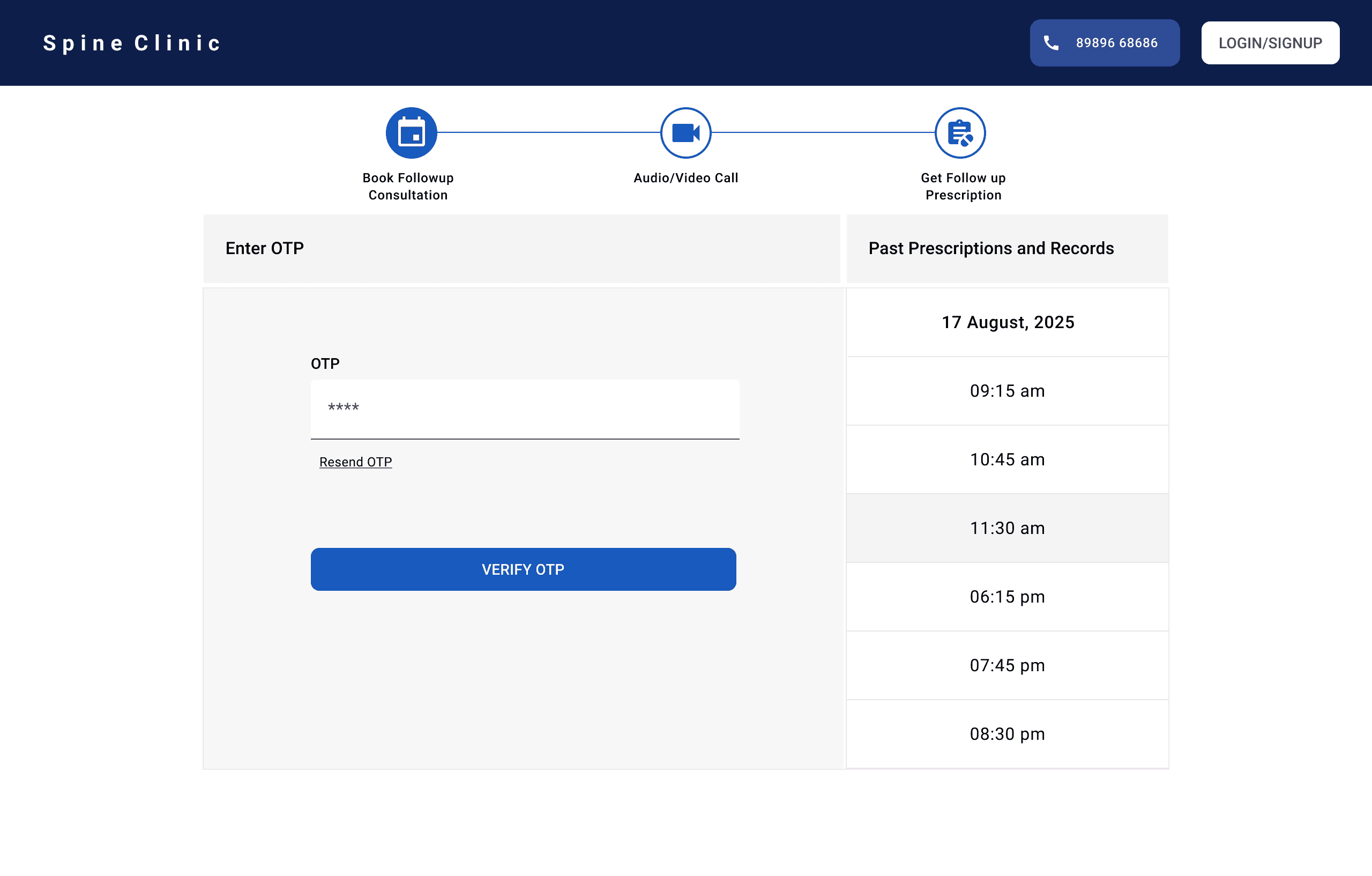
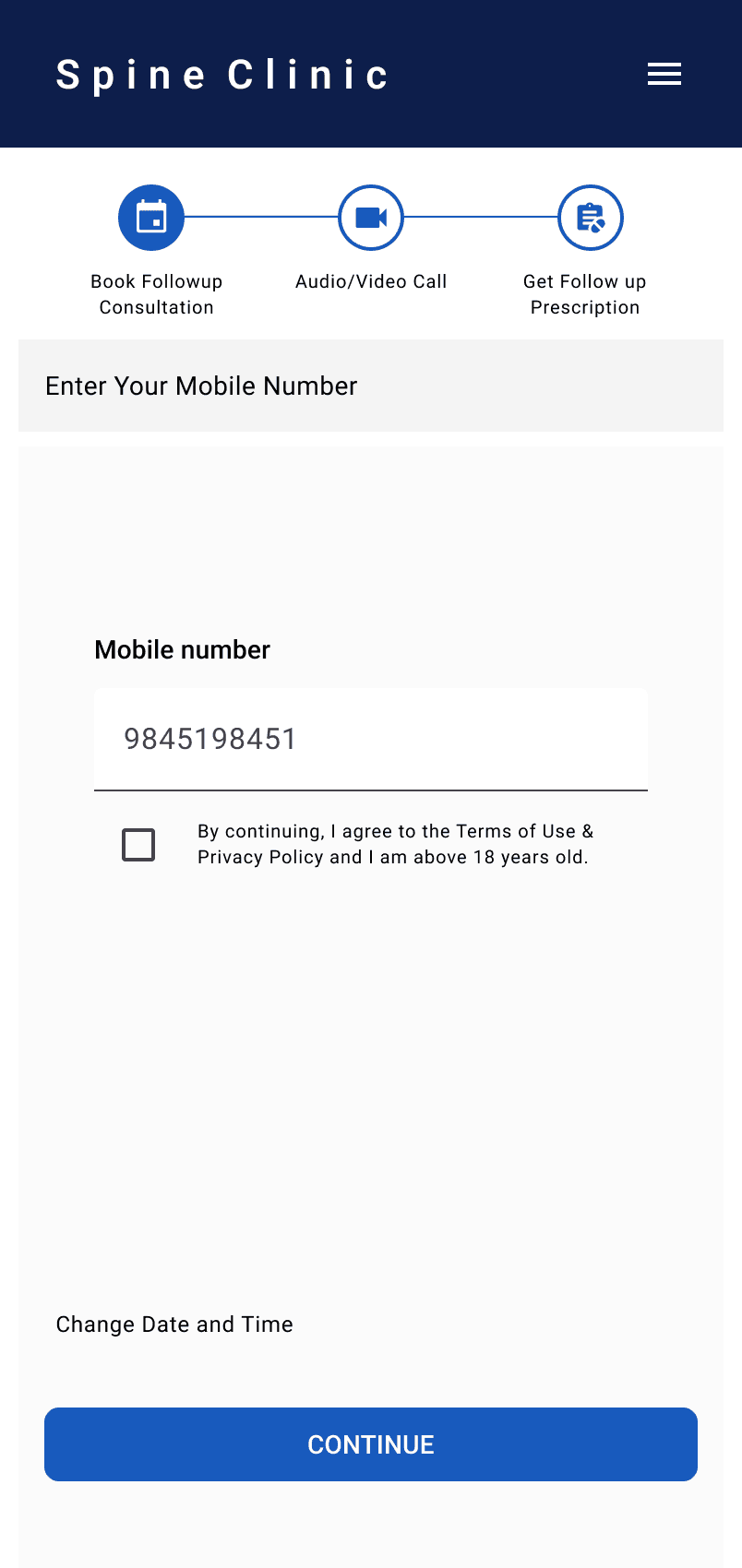
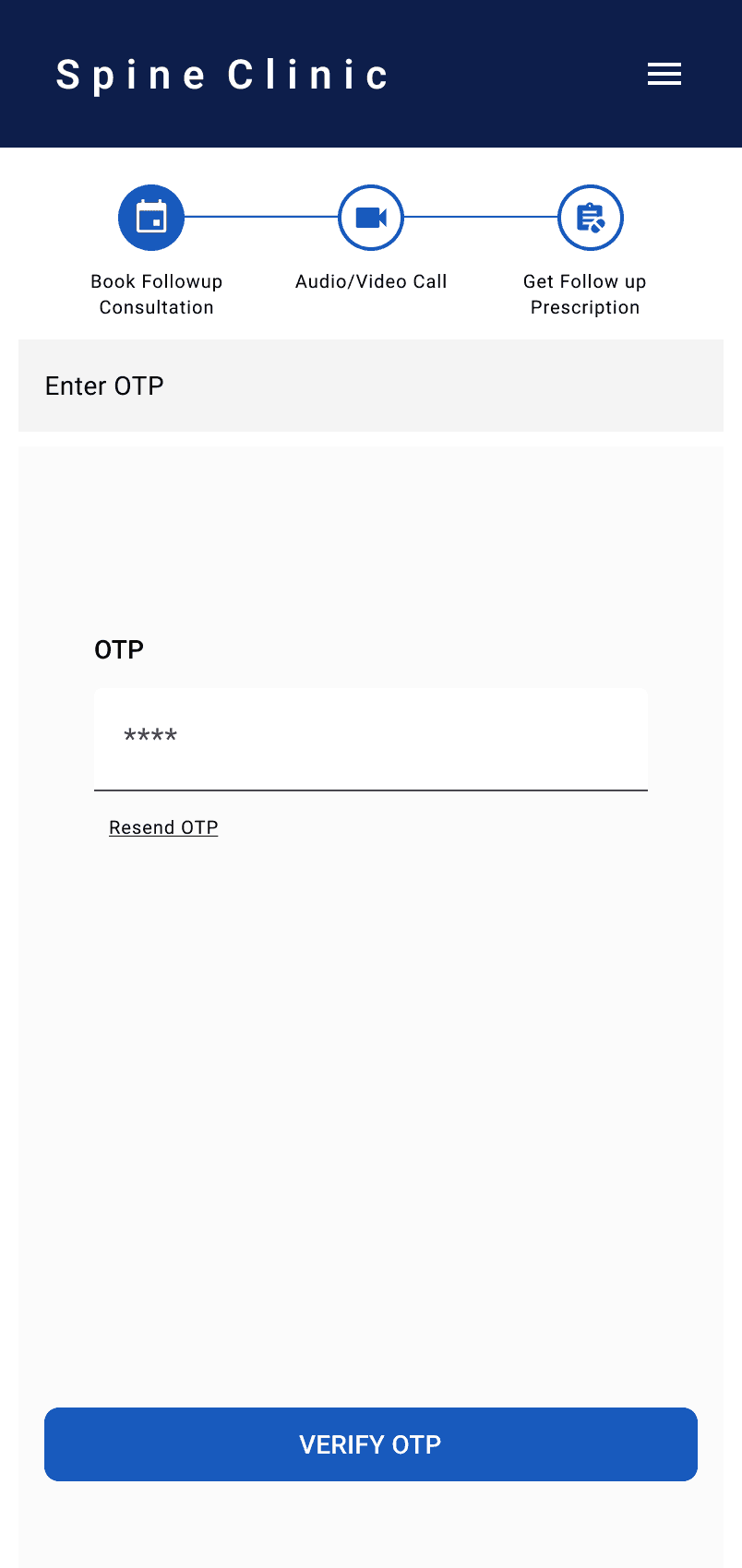
Mobile login feels familiar and quick for Indian users
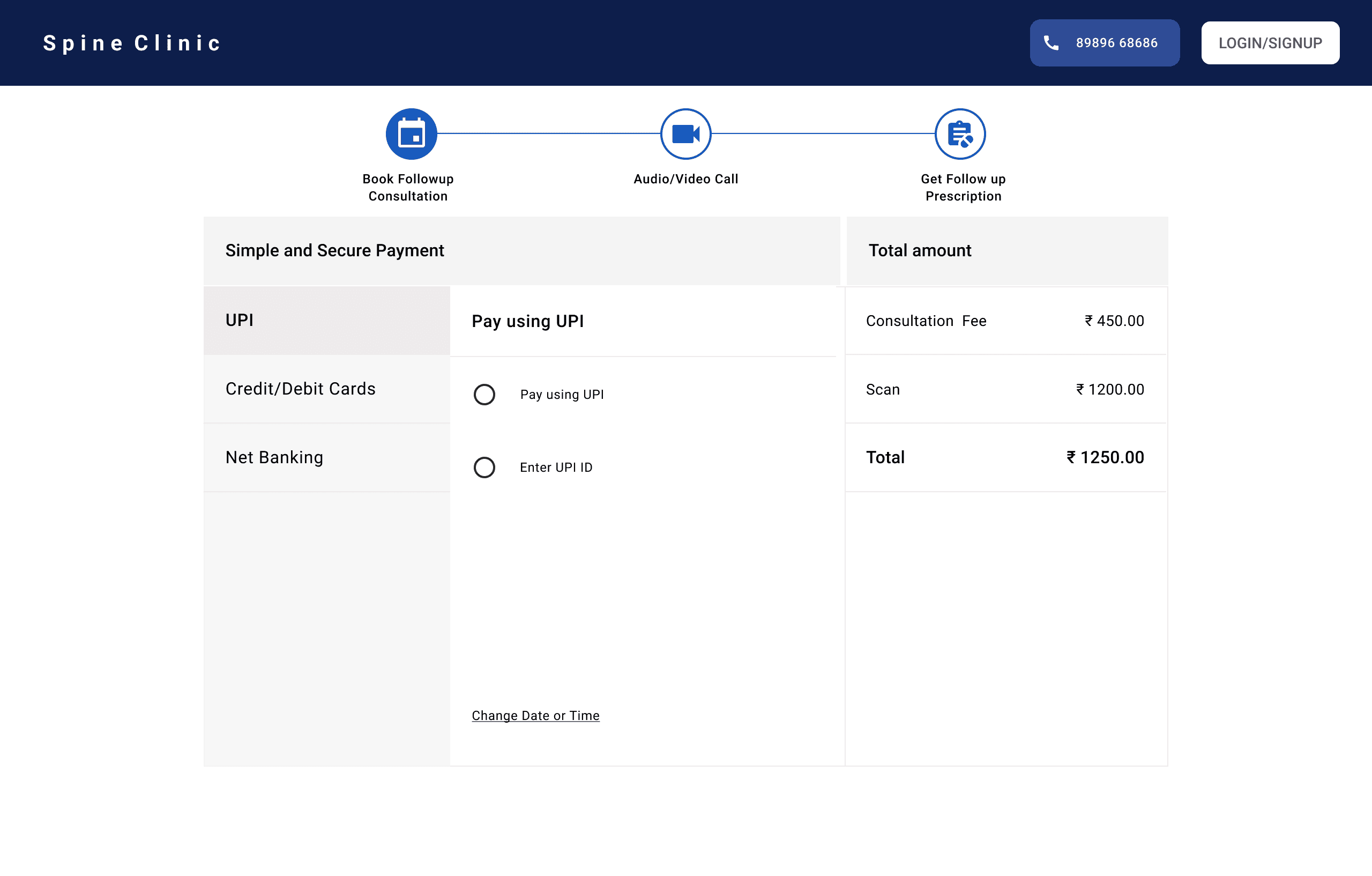
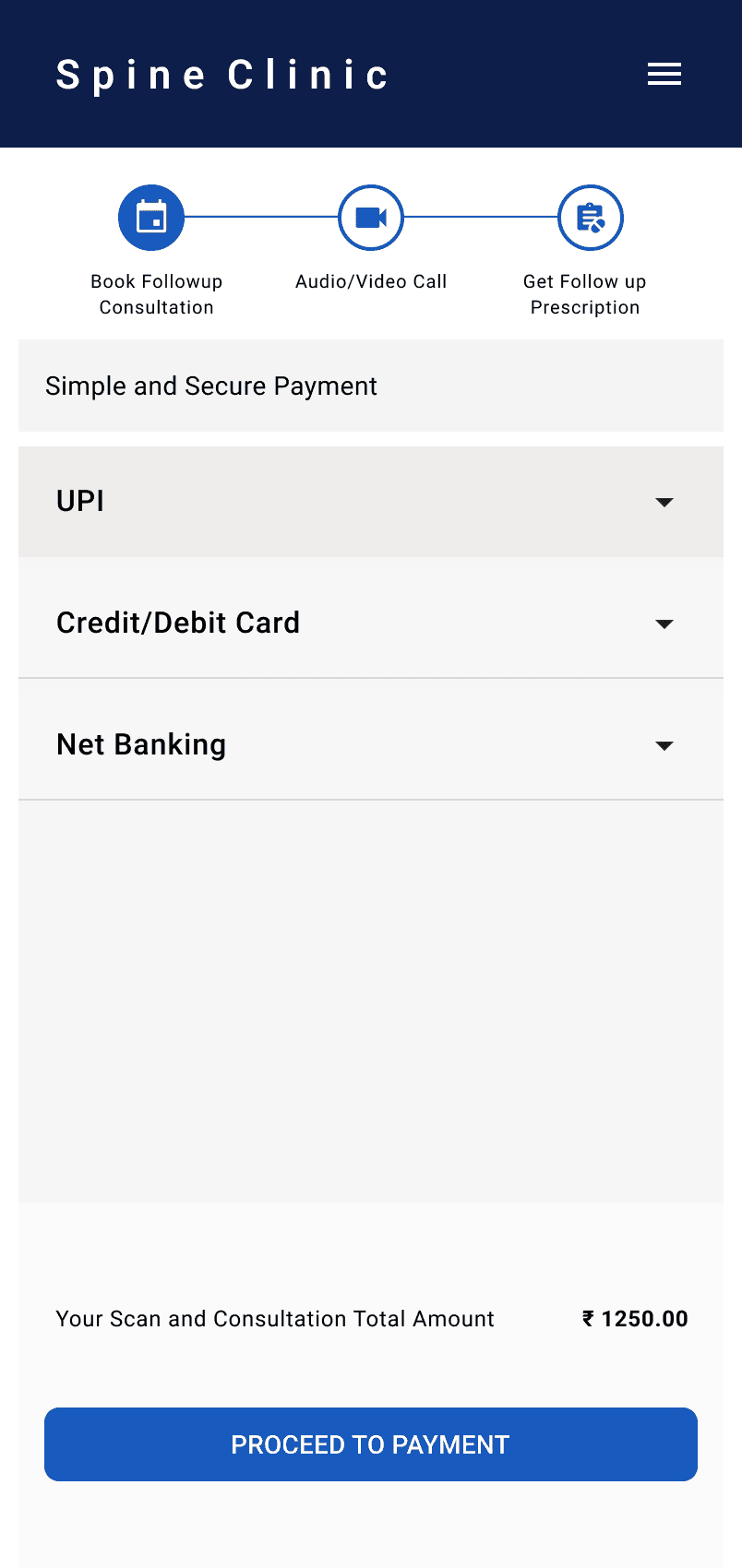
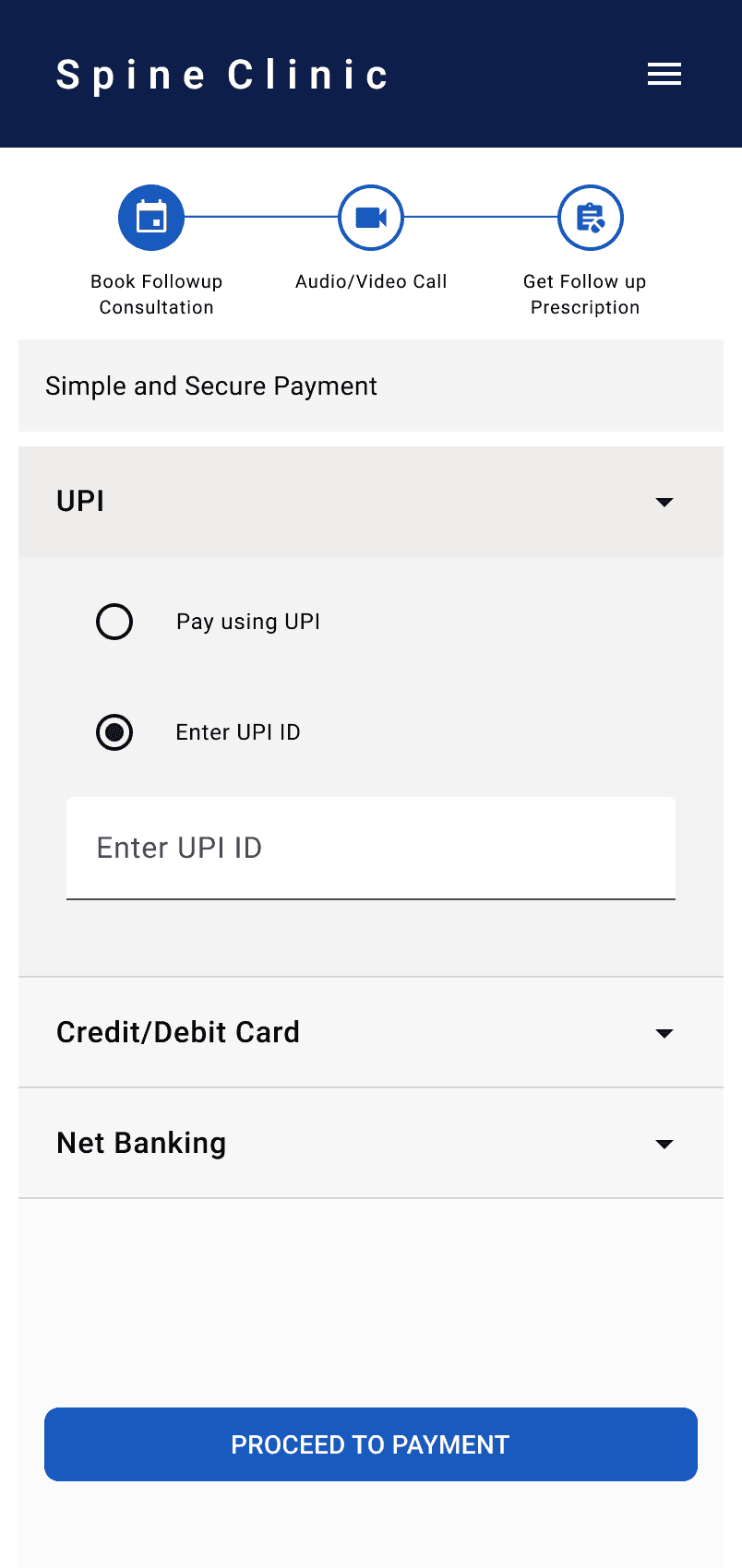
Upfront payments reduce no-shows and confusion
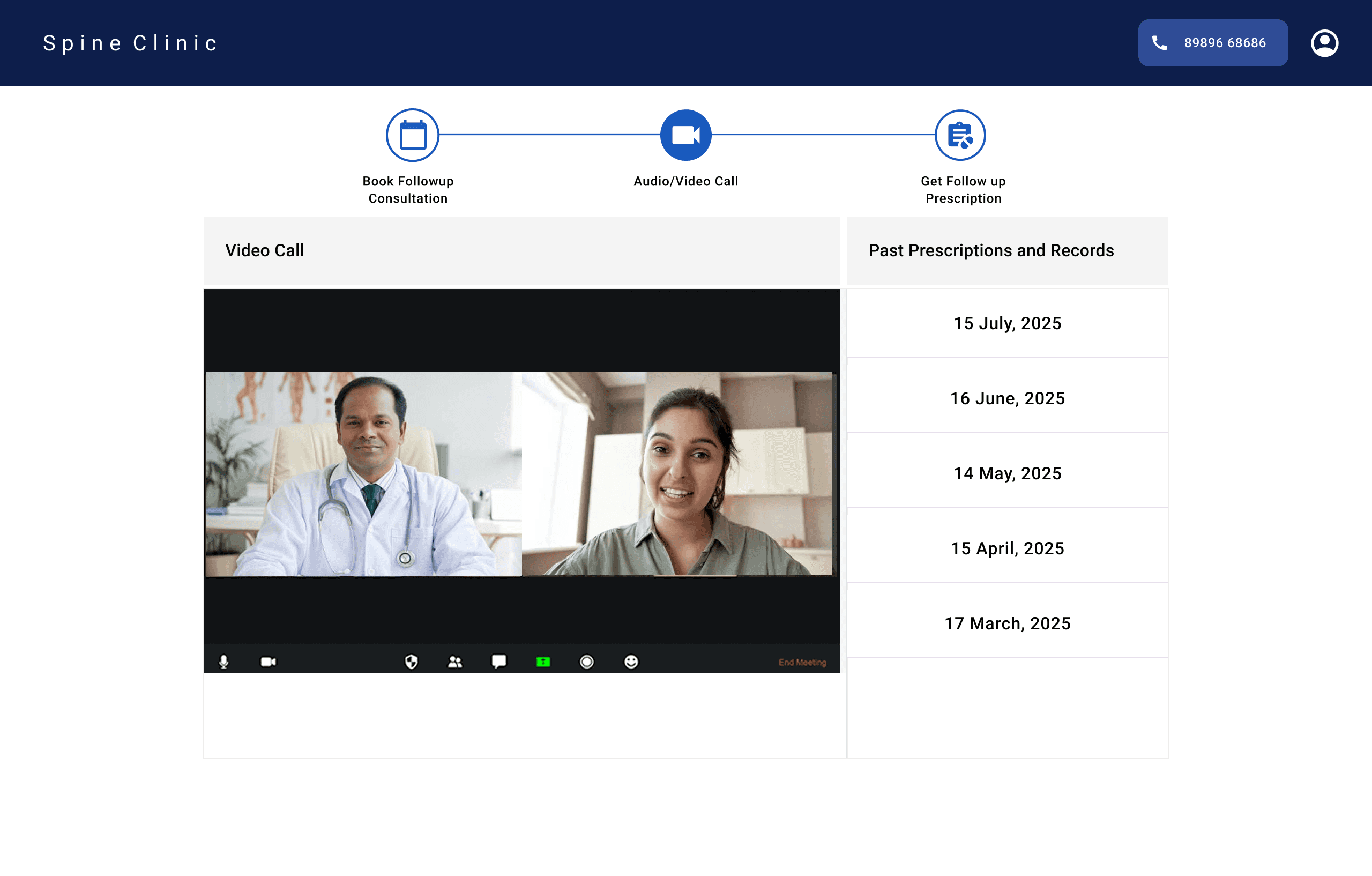
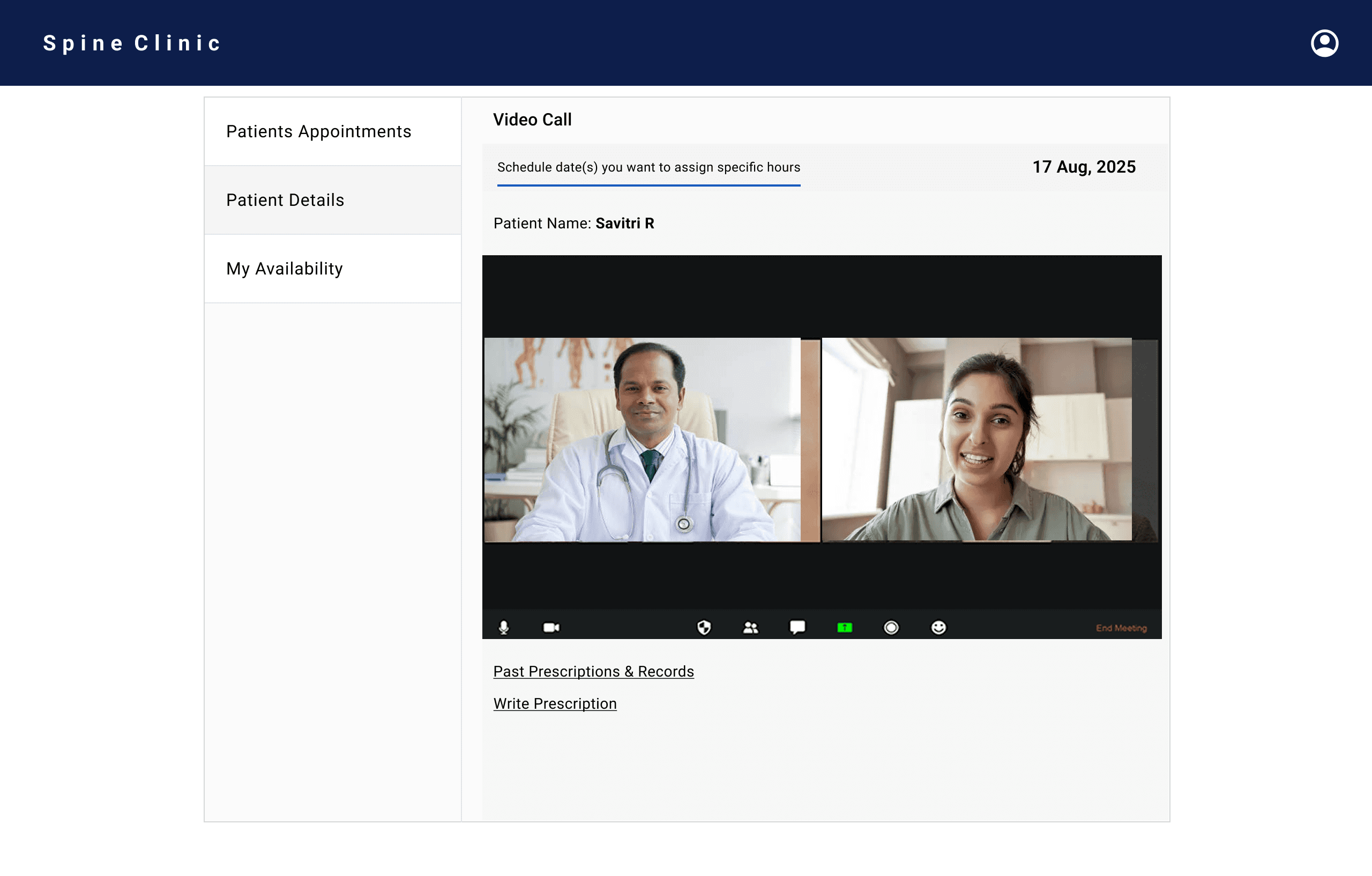
Split-screen video call keeps patient records visible to doctors
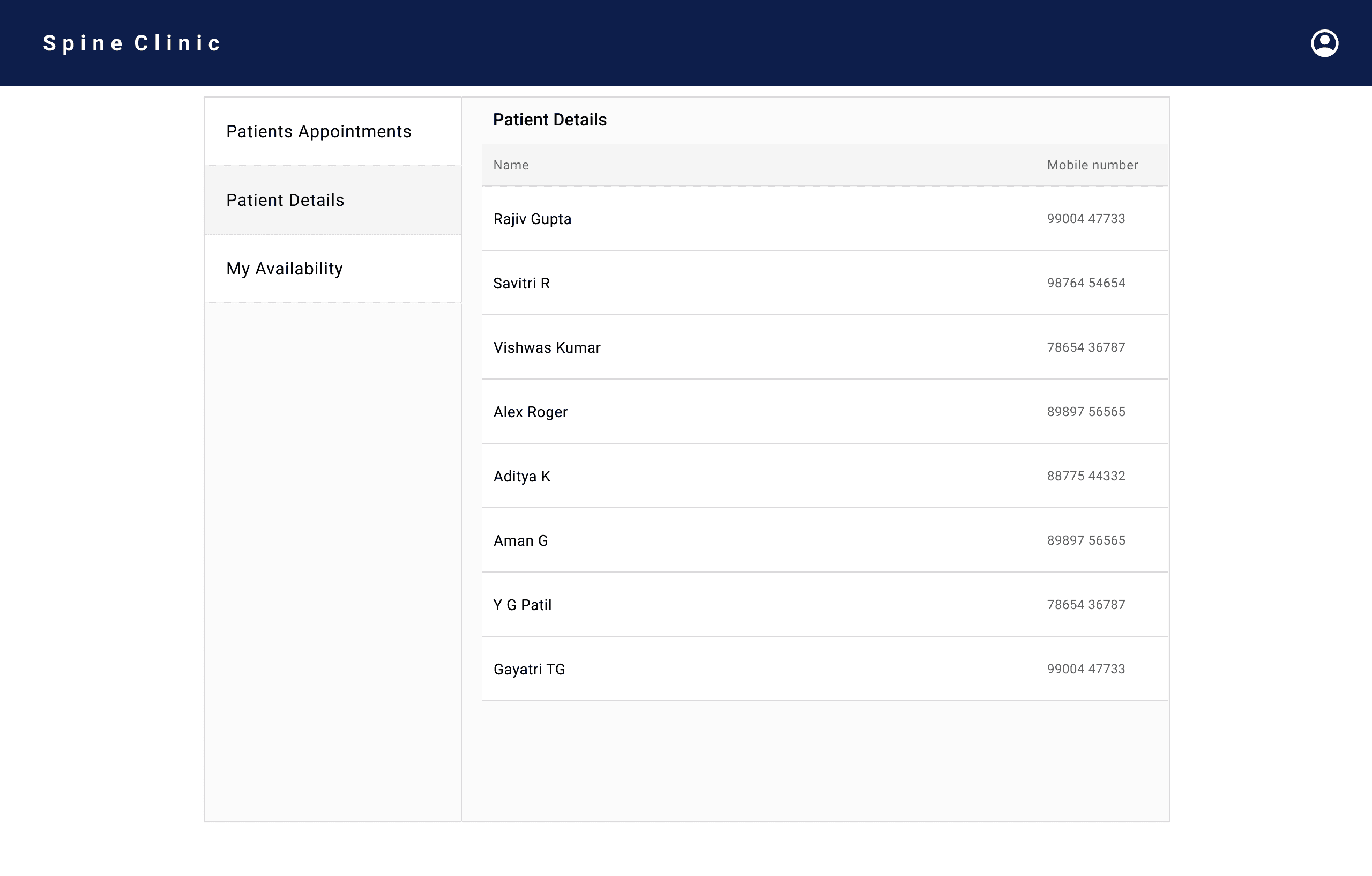
Centralised records support continuity of care
These choices create a clear, repeatable experience for both patients and doctors.
Design Decision
Solution
Patient Side
Patient flow is kept short and easy.
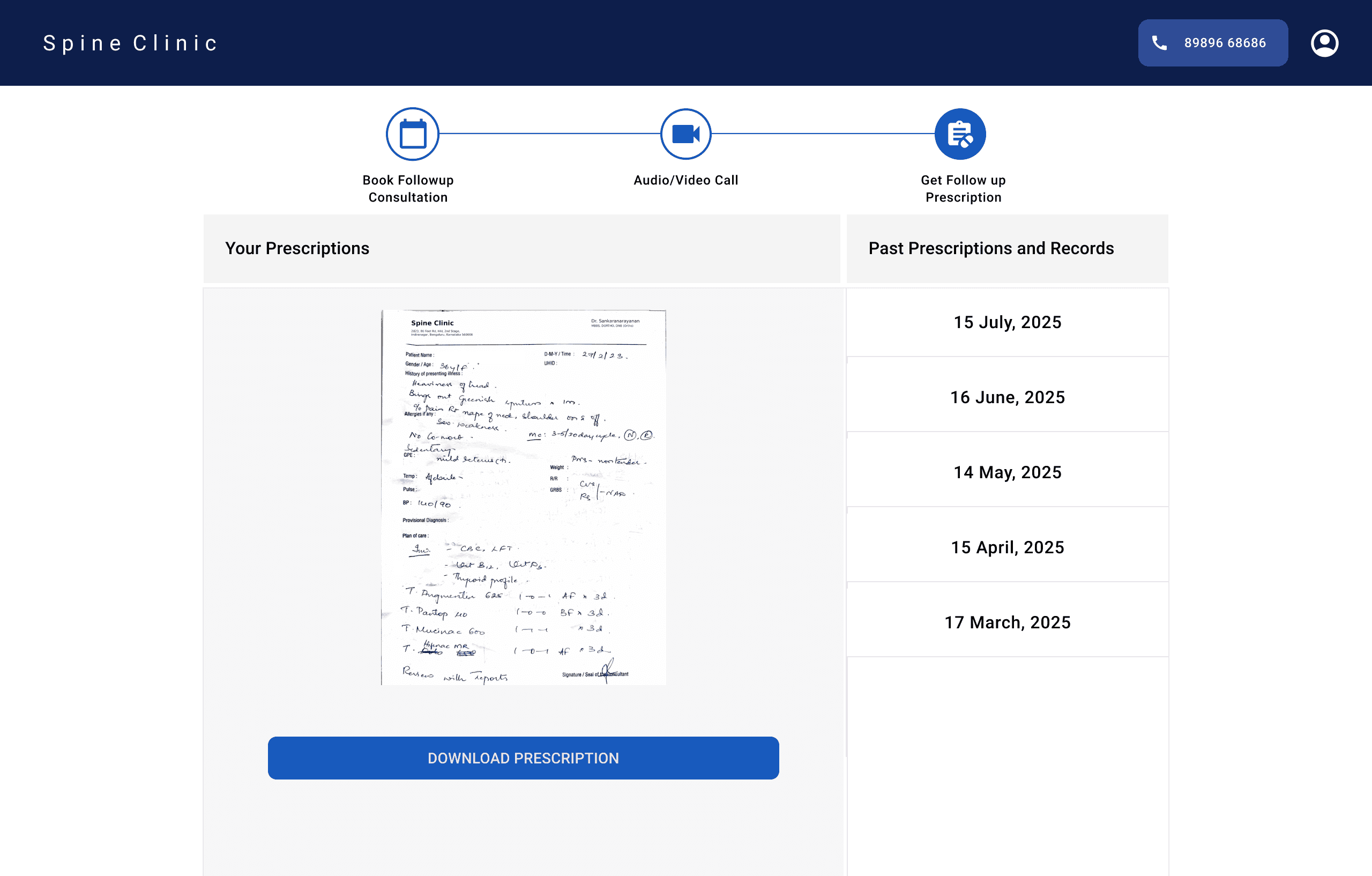
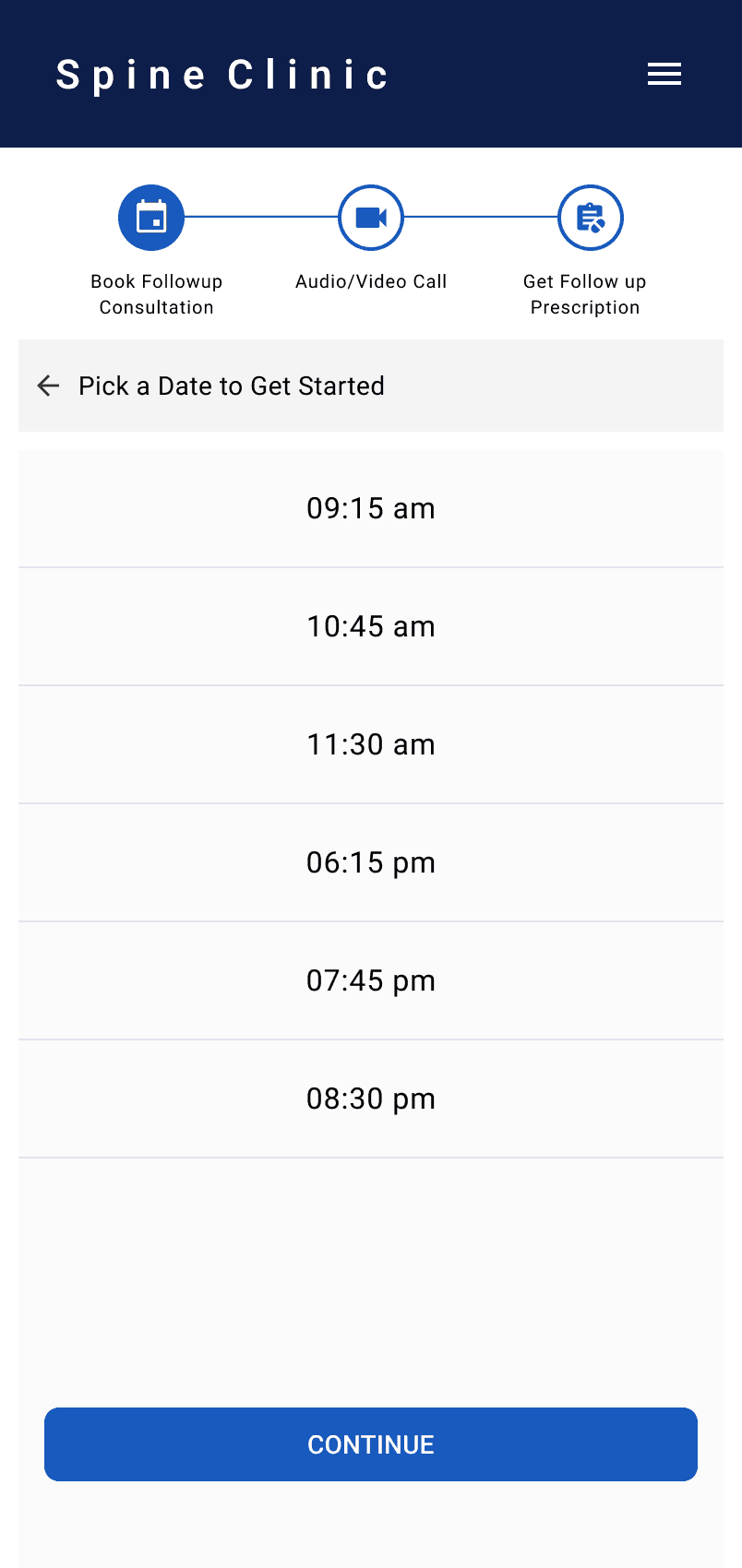
Patients choose a date and time, log in with a mobile number and OTP, complete a quick payment, join the video call, and download their prescription after the consultation.
Doctor Side
Doctor experience is structured for speed and clarity.
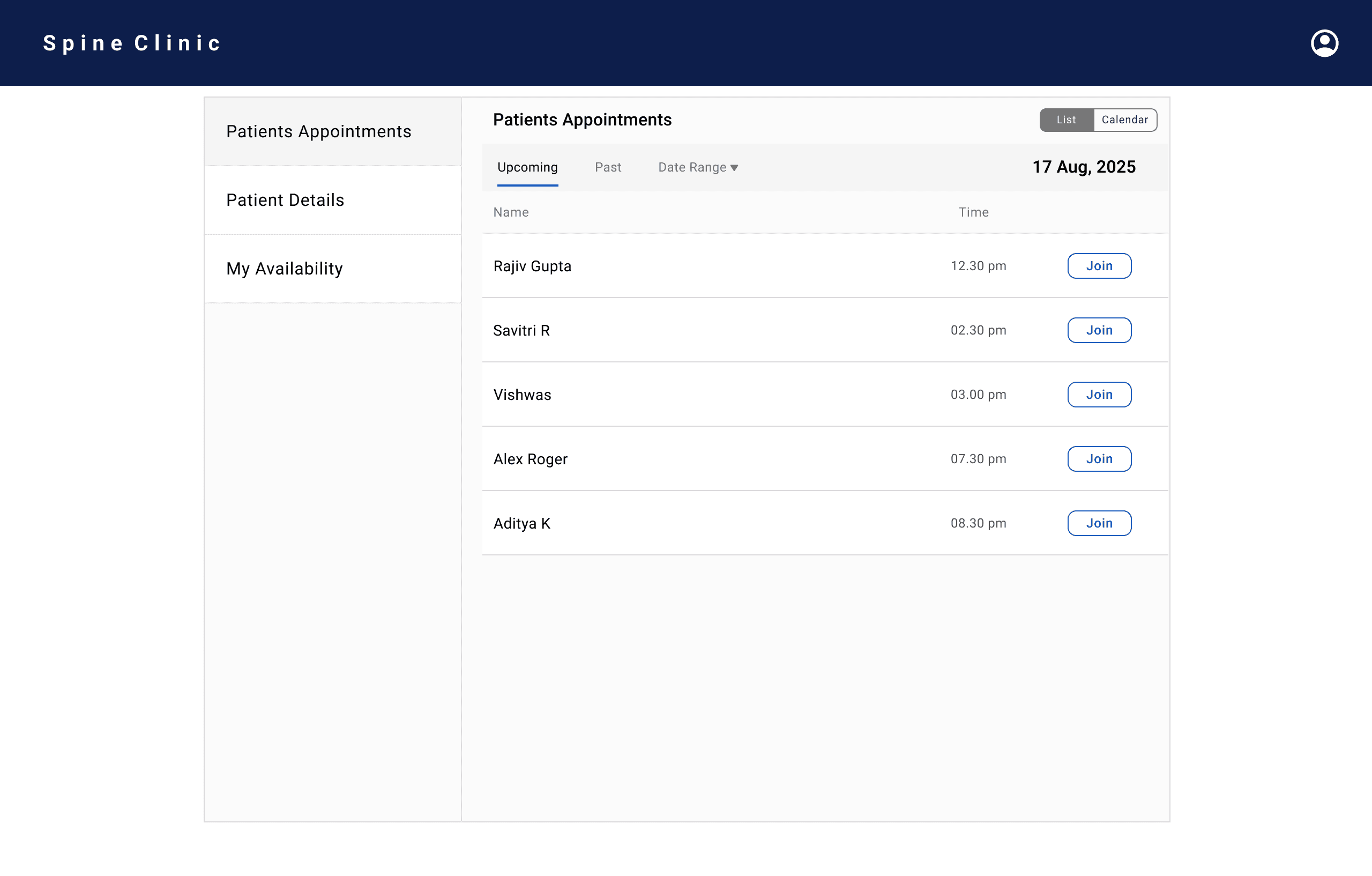
Appointments dashboard shows upcoming patients with a quick join button.
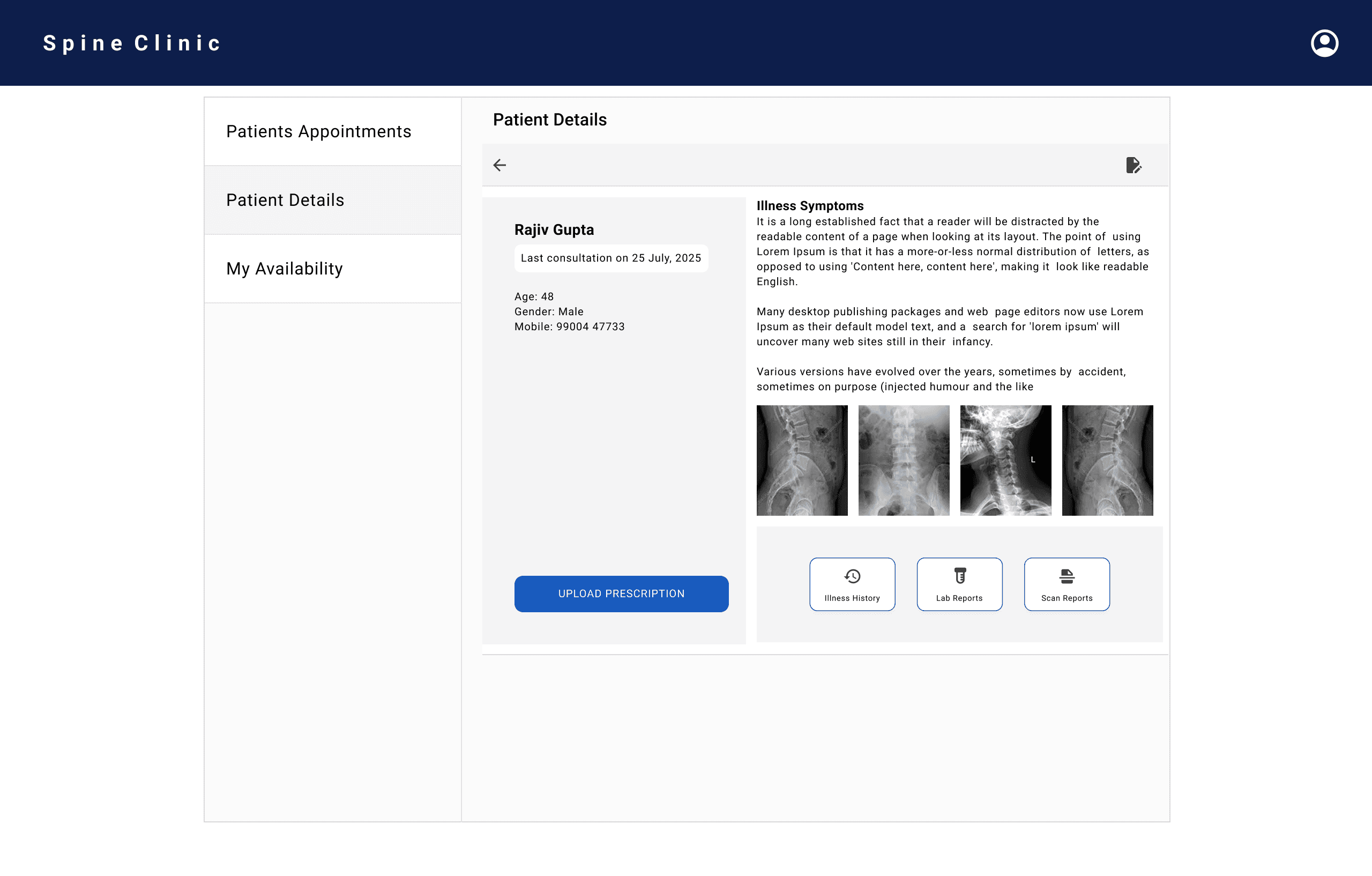
Patient records bring past prescriptions, scans, and history into one place.
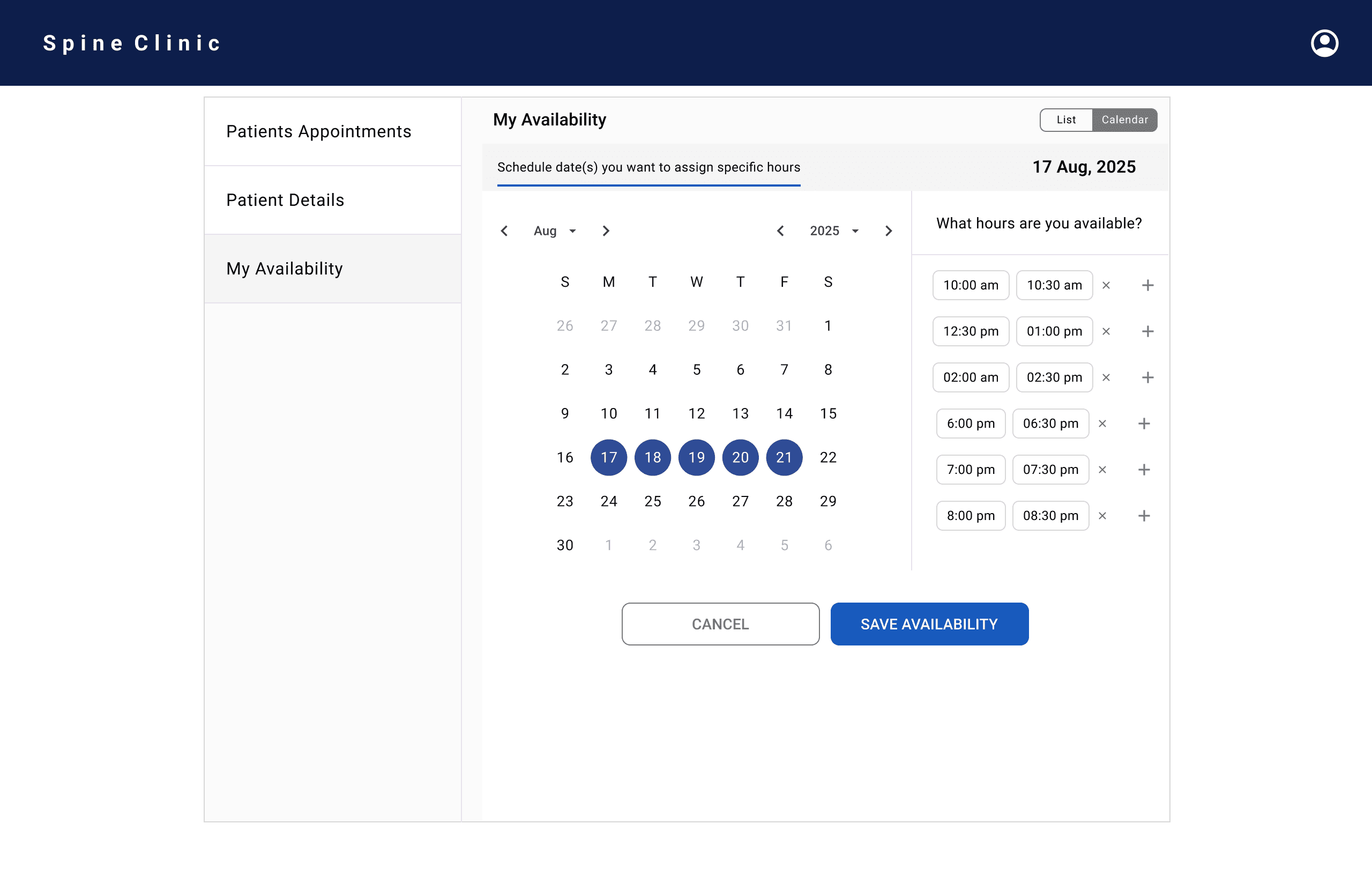
Doctors manage their availability through simple time-slot selection.
During the video call, patient video appears on one side while records and prescription tools stay visible.
Doctors can create or upload prescriptions directly during the call.
Desktop UI- Patients Flow

Desktop UI- Doctor Flow
Desktop UI- Patients Flow