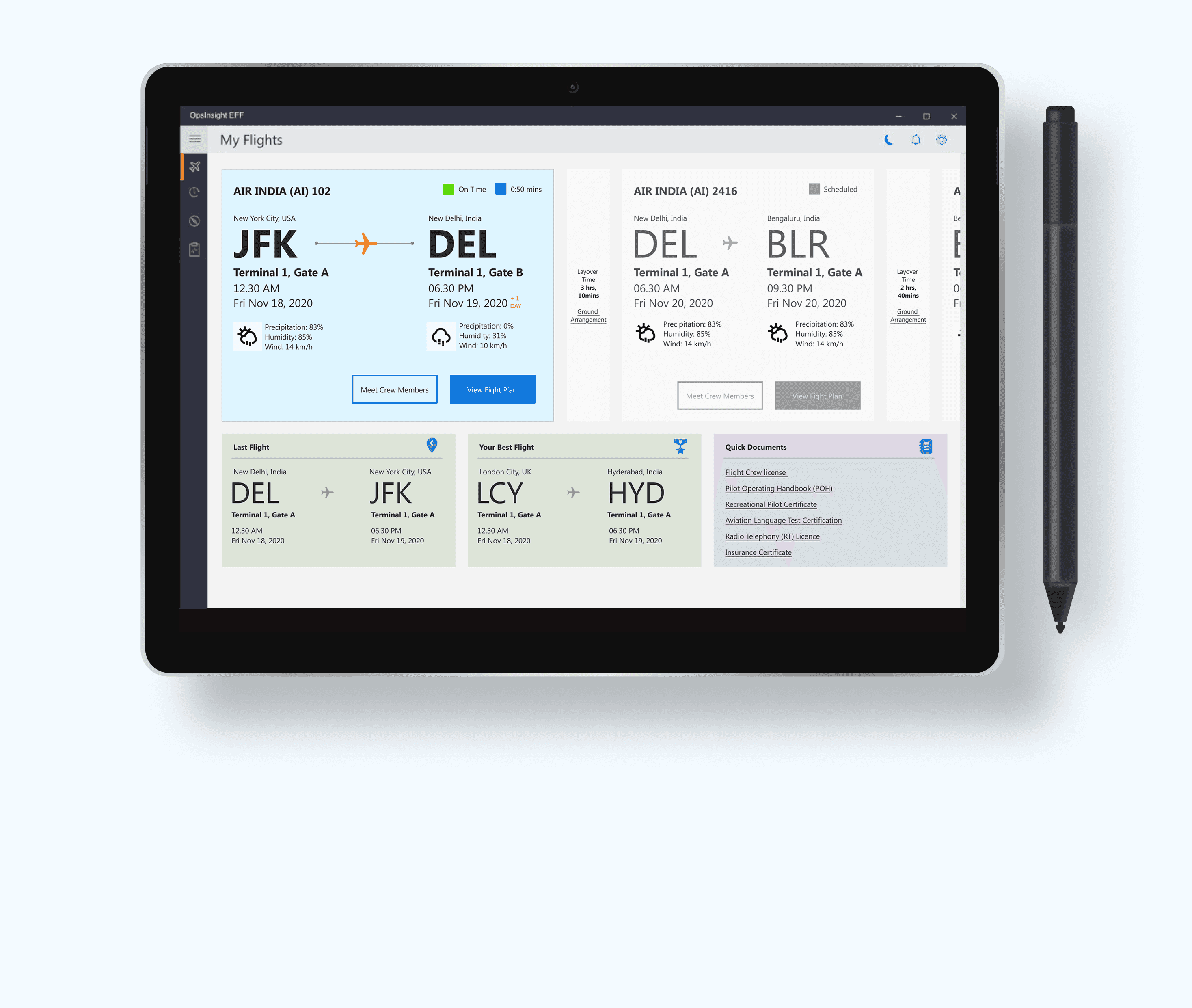
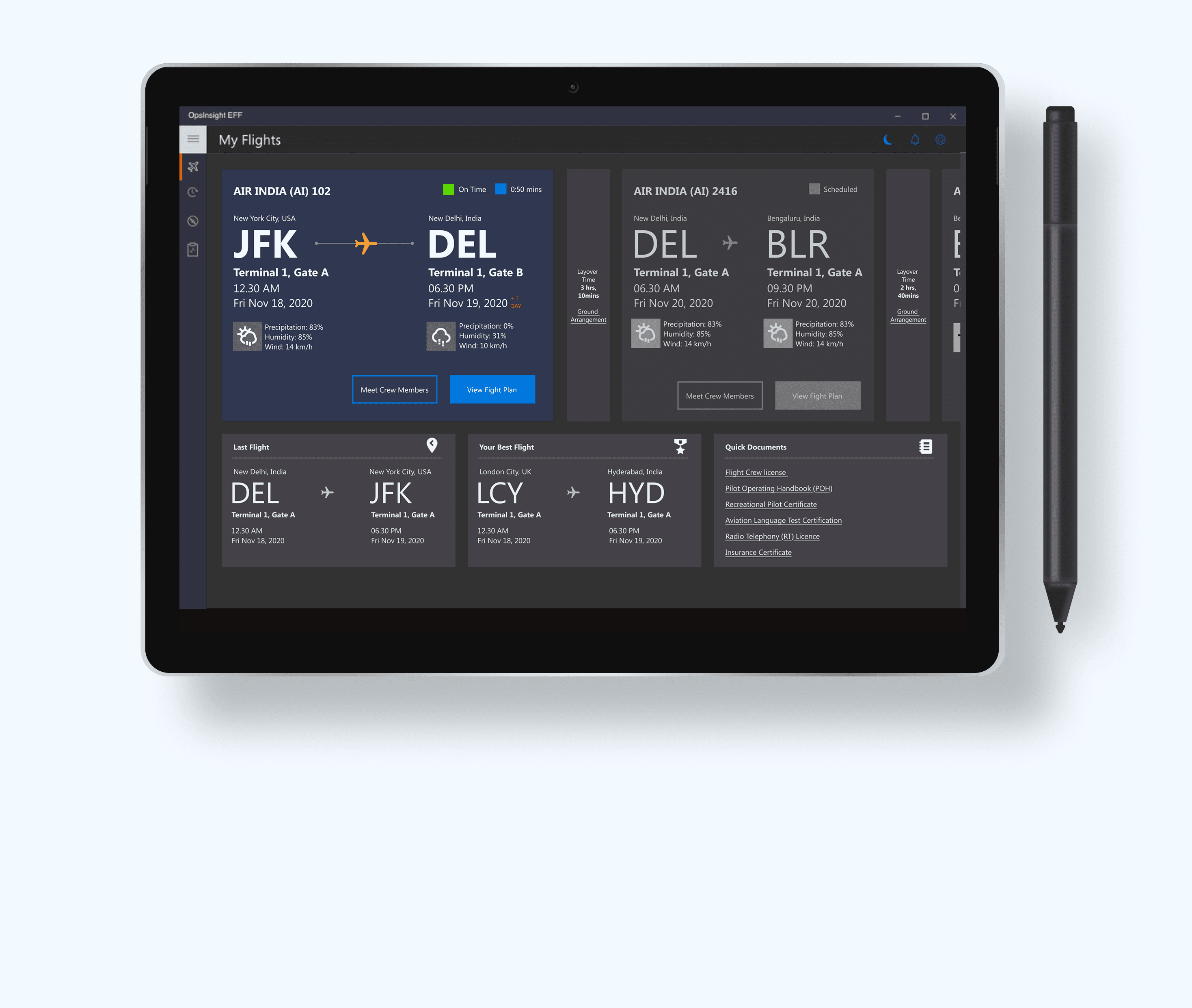
Pilot-centric design; approach to real-time, data-enhanced flight operations
Project Overview

Project Overview

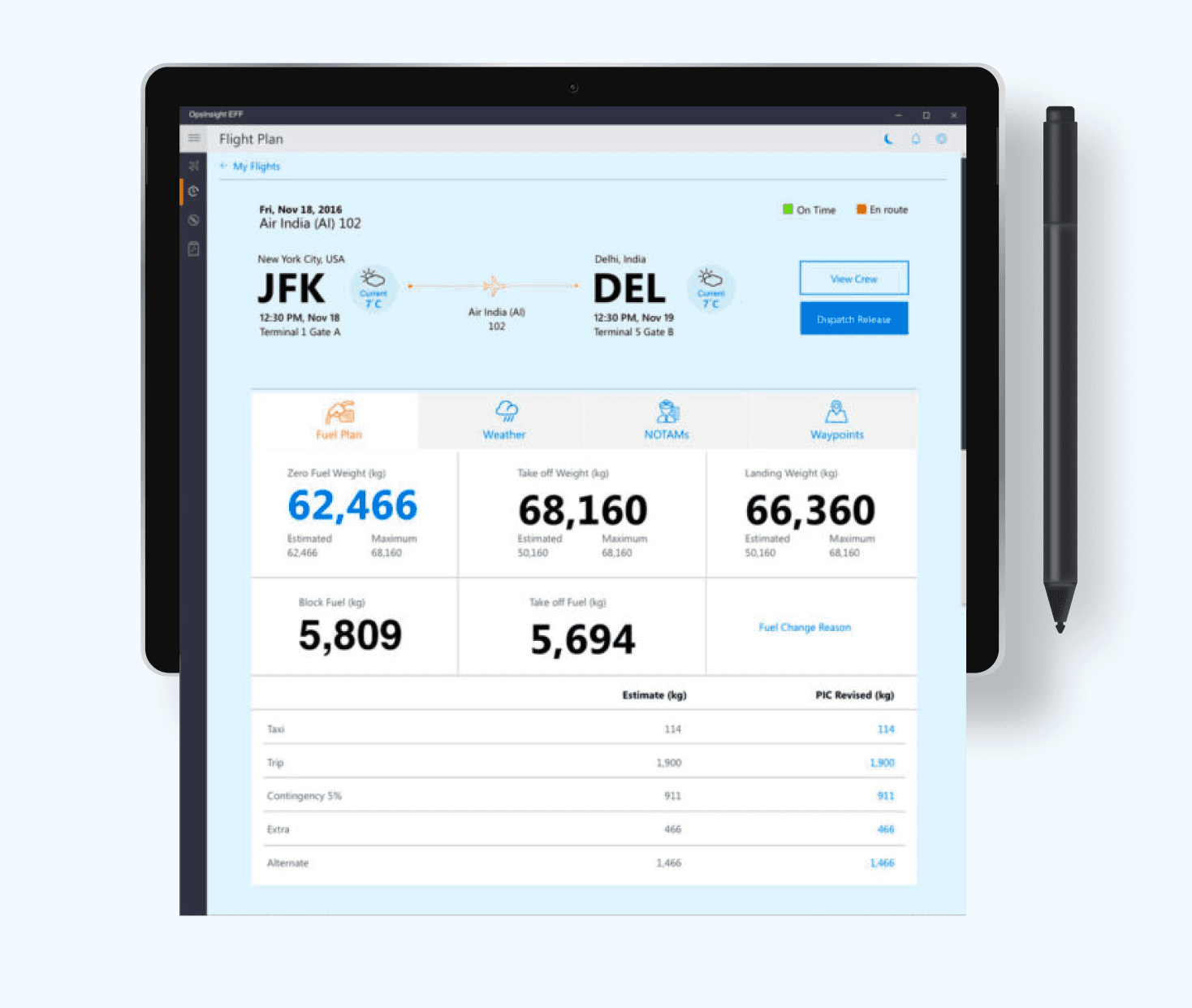
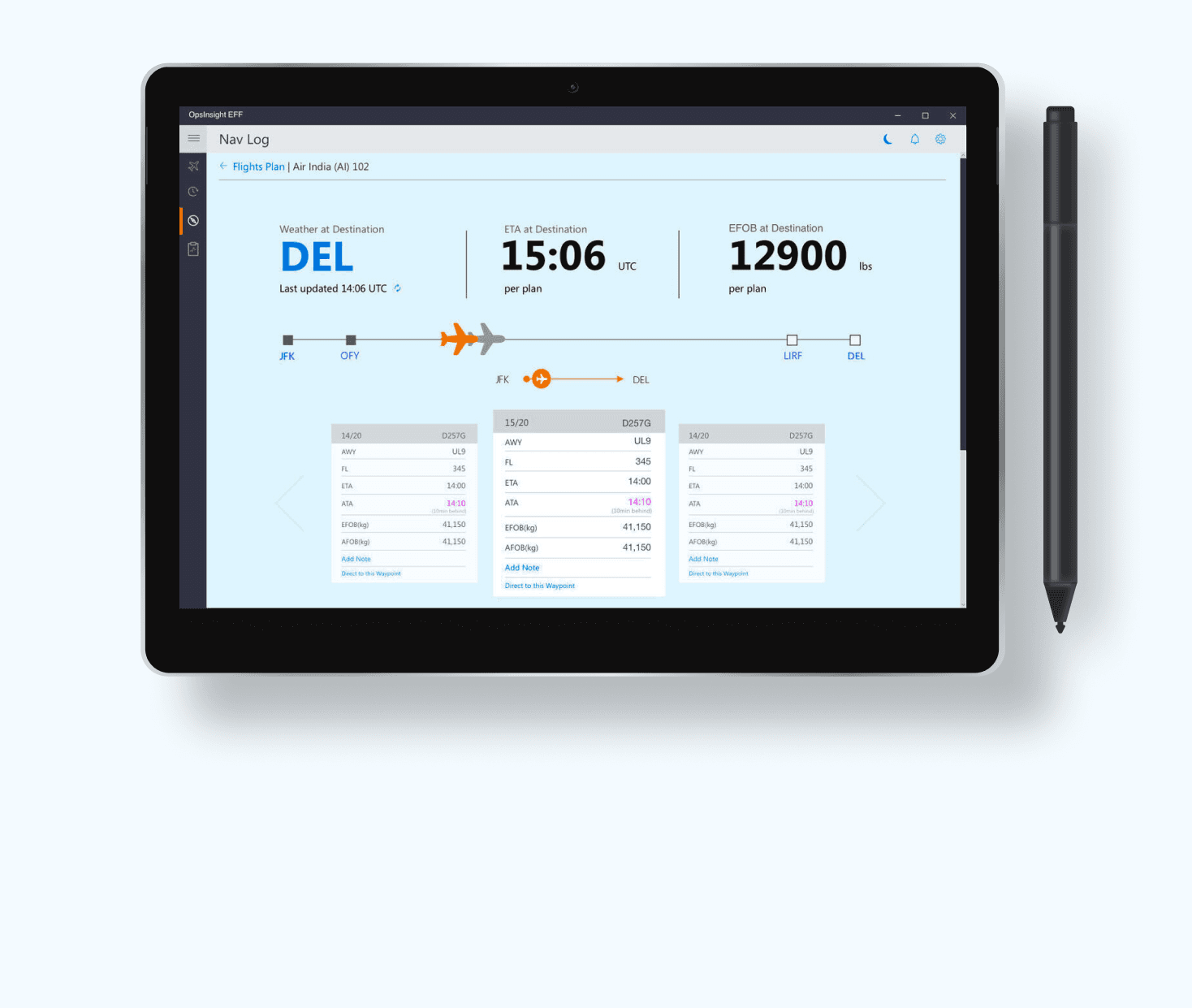
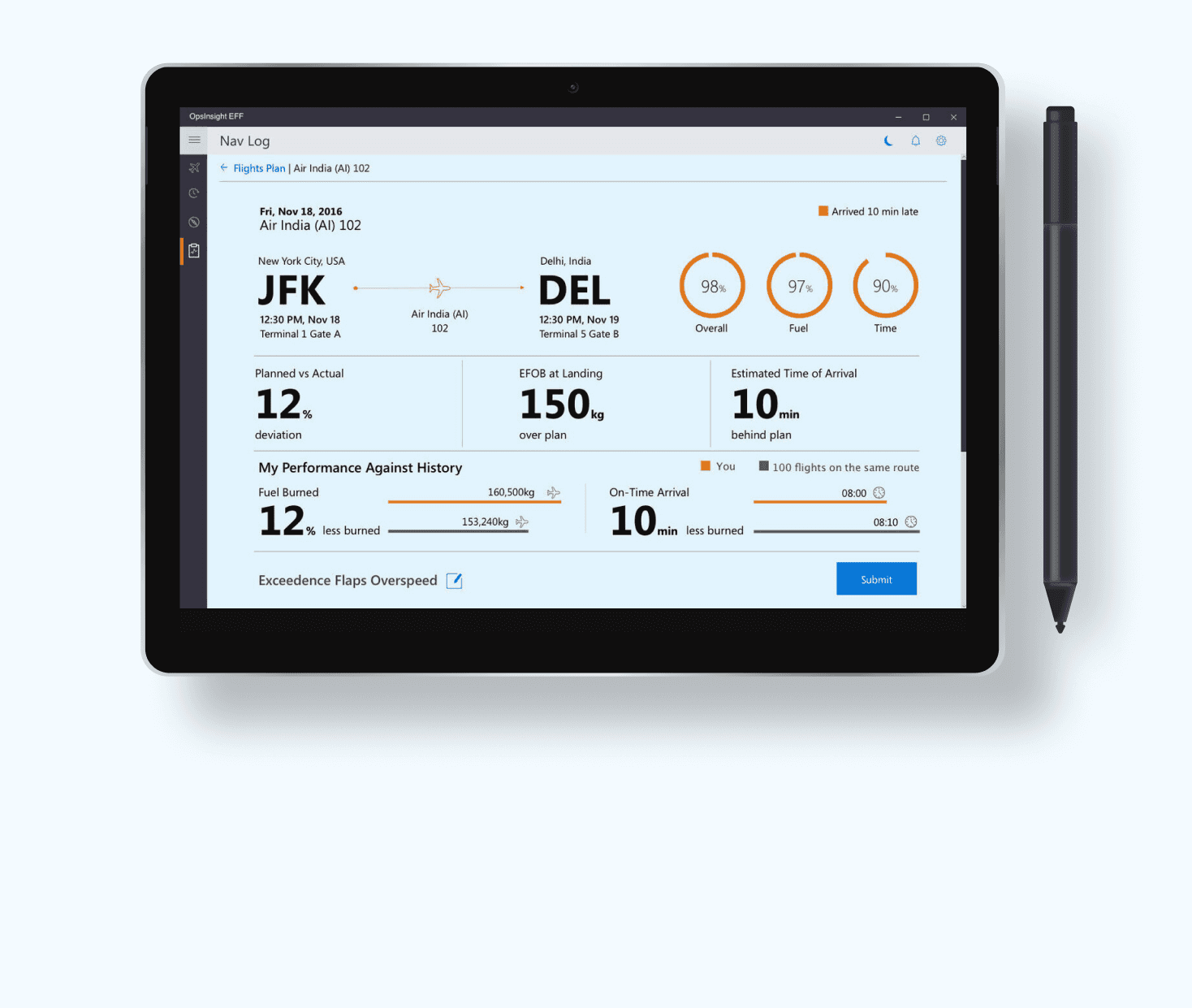
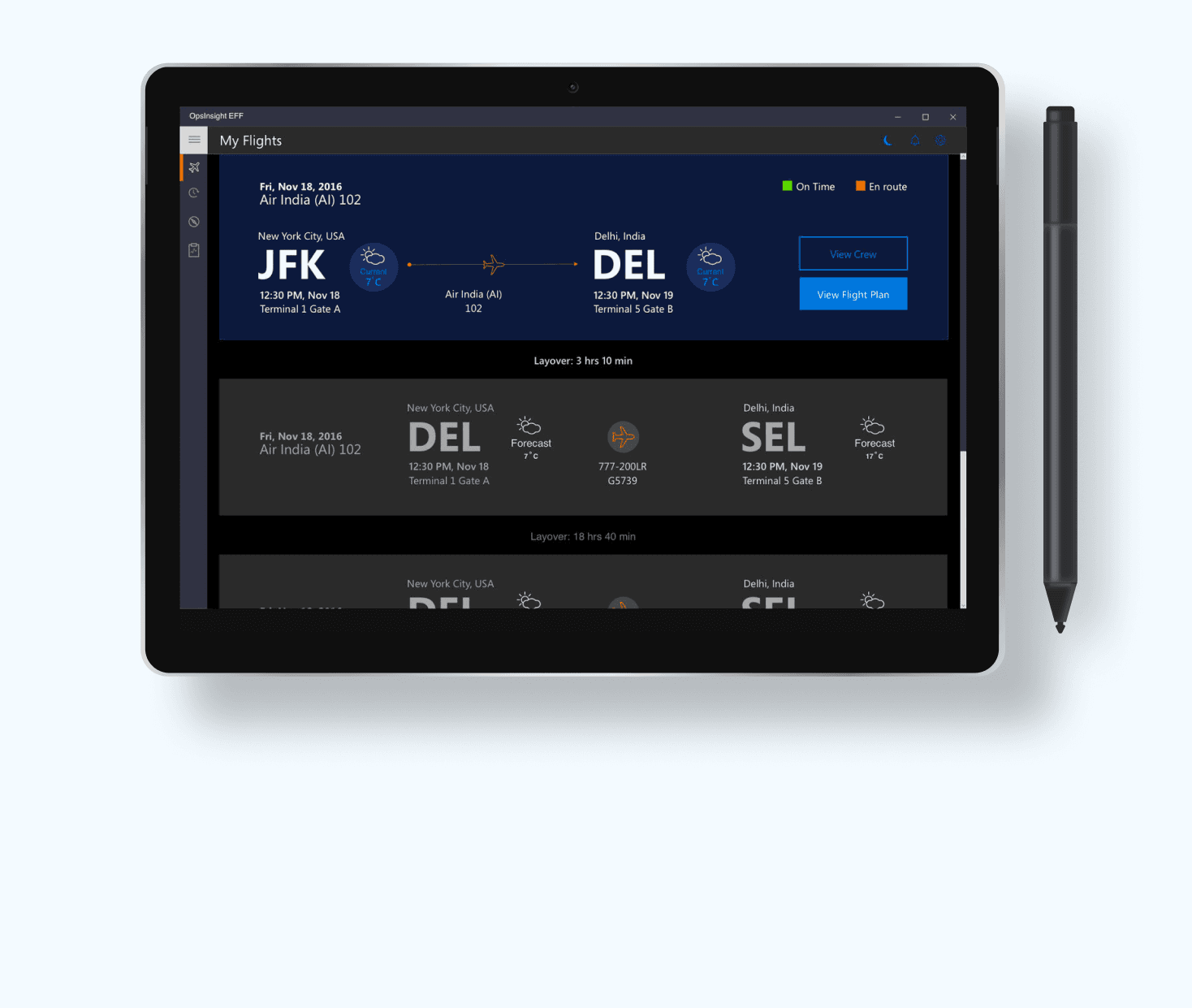
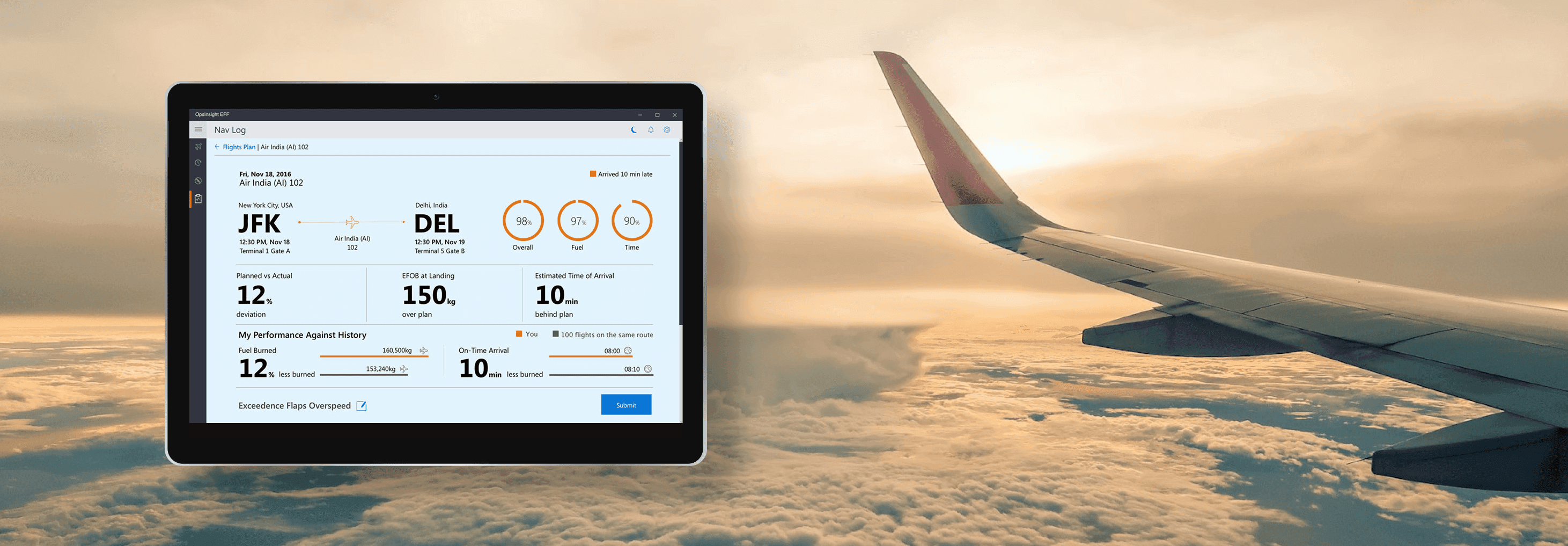
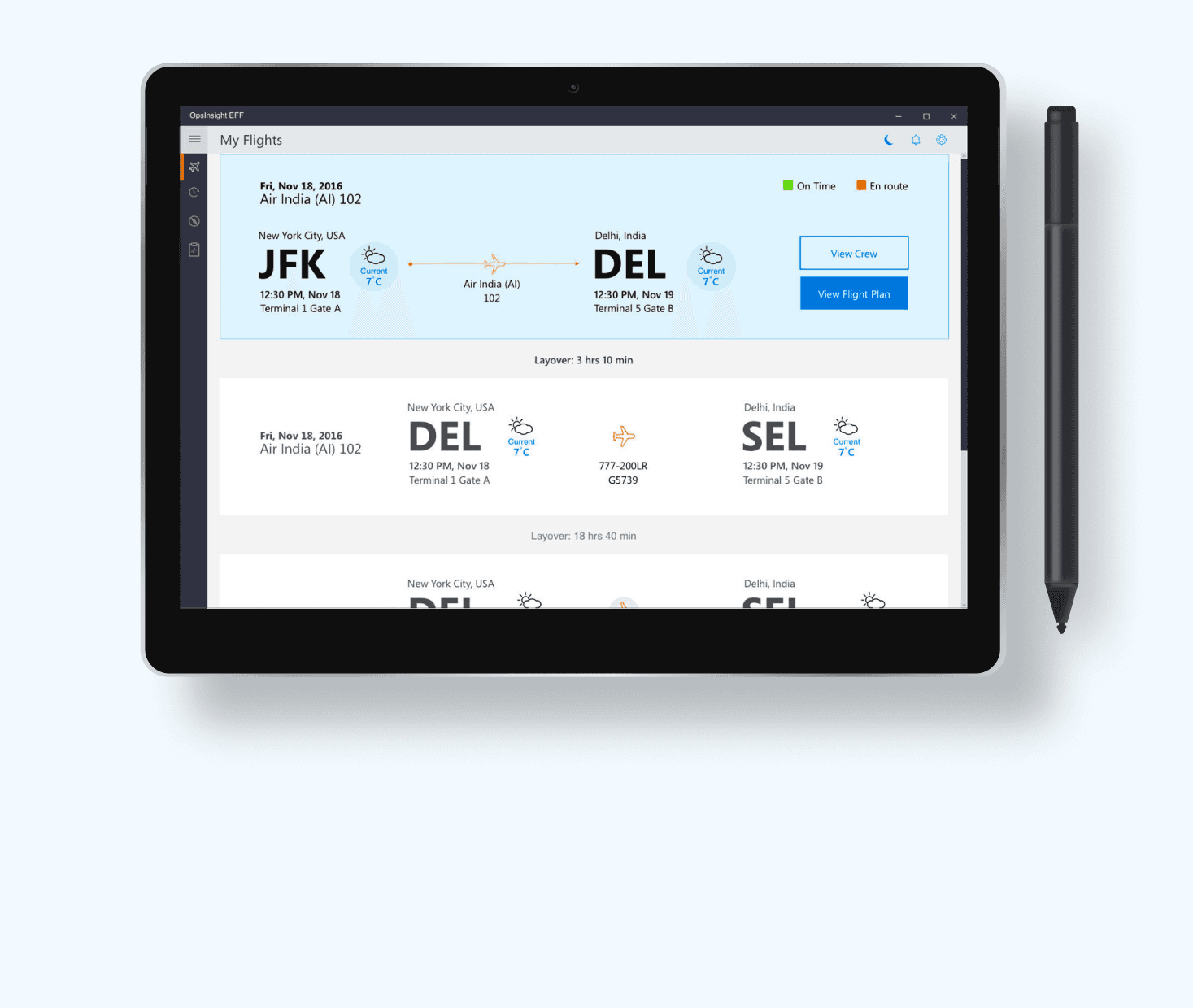
EFF is a pilot-focused appliaction that makes real-time flight data easy to access. Current tools are manual and slow, especially under pressure. EFF brings weather, fuel details and key tasks into one simple interface, with research and aviation standards, it reduces cognitive load and helps pilots make faster, more confident decisions throughout the flight.

EFF is a pilot-focused appliaction that makes real-time flight data easy to access. Current tools are manual and slow, especially under pressure. EFF brings weather, fuel details and key tasks into one simple interface, with research and aviation standards, it reduces cognitive load and helps pilots make faster, more confident decisions throughout the flight.

Responsibilities

Responsibilities

Stakeholders Management
User Research
Opportunity Mapping
Interaction Design
Visual Design
Usability Testing

Outcome: iOS 7 Windows App
Impact

Impact

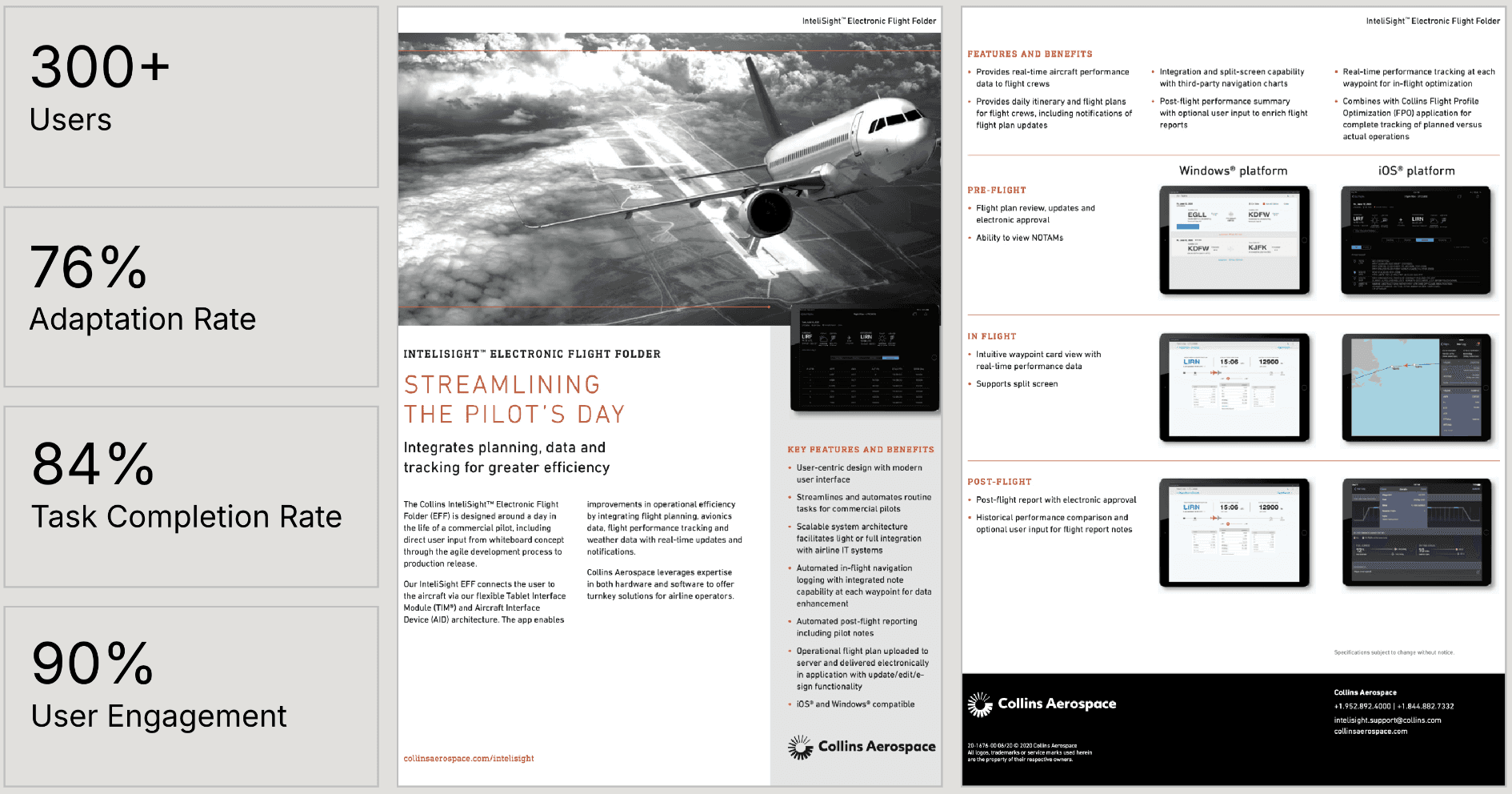
After two quarters, the client has begun incorporating additional features, during this period, the matrix appears as follows:
For more info, Please download client's data sheet in their official website

After two quarters, the client has begun incorporating additional features, during this period, the matrix appears as follows:
For more info, Please download client's data sheet in their official website

Final UI Design

Final UI Design

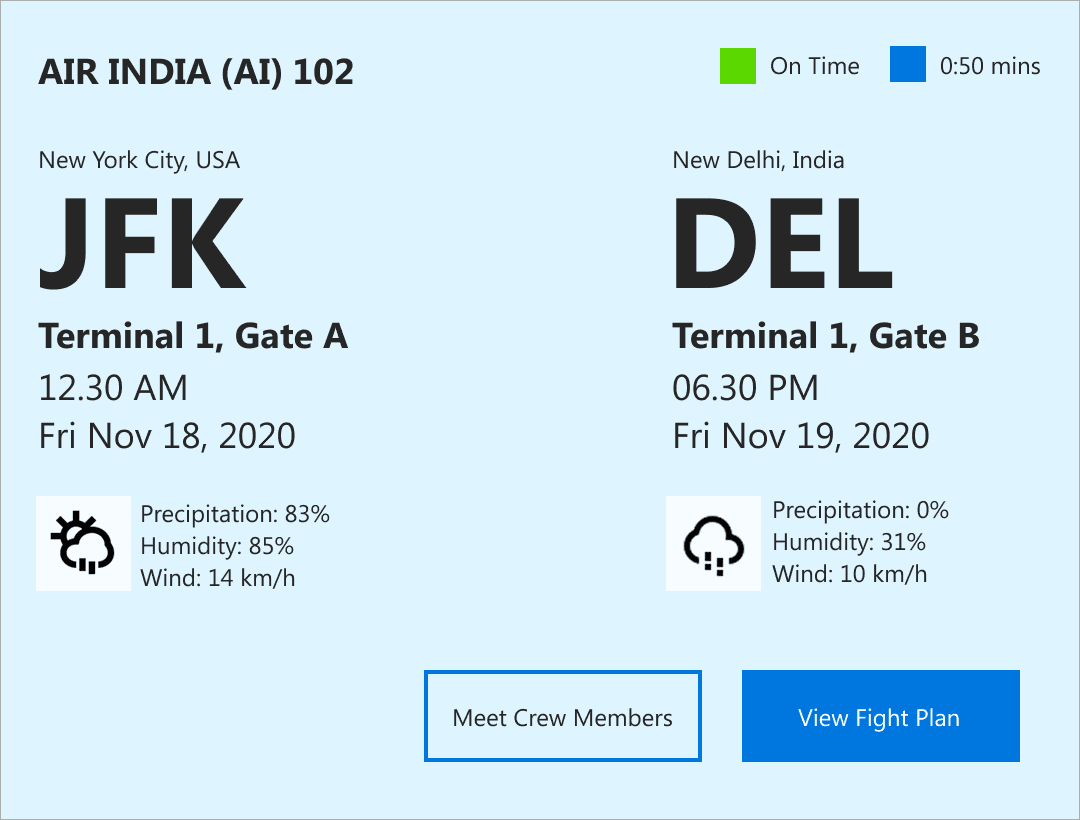
Card Design -Light Theme

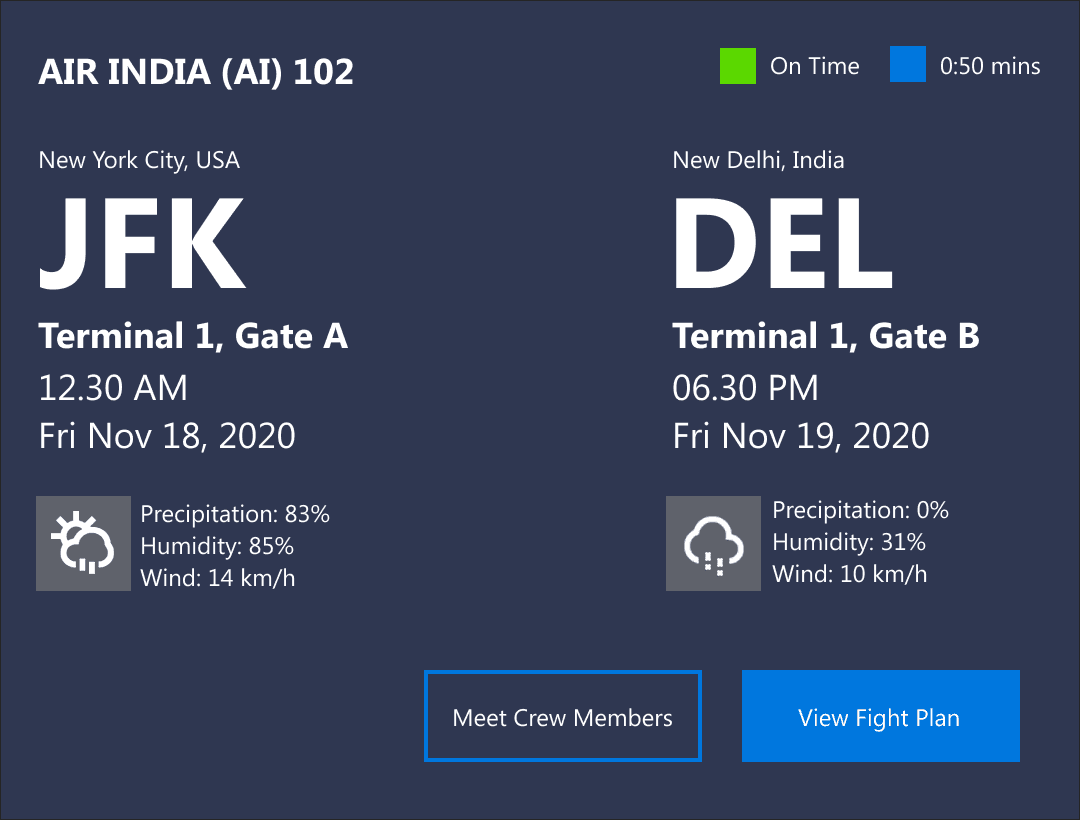
Card Design- Dark Theme

User frustration

User frustration

Current systems lack integration, causing inefficiencies, commercial pilots often struggle to access real-time aircraft performance data, relying on manual processes and paper-based documentation lead to cognitive load on pilots.

Current systems lack integration, causing inefficiencies, commercial pilots often struggle to access real-time aircraft performance data, relying on manual processes and paper-based documentation lead to cognitive load on pilots.

Research

Research

Listening to the Users; Findings That Guide our Design Strategy
To understand:

  • What are the commercial pilots motivations behind the specific task

  • The patterns behind the commercial pilots real time data process

  • How can technology have a positive effect on this process.

  • What information and tools are available for pilots before and during inflight journey

Listening to the Users; Findings That Guide our Design Strategy
To understand:

  • What are the commercial pilots motivations behind the specific task

  • The patterns behind the commercial pilots real time data process

  • How can technology have a positive effect on this process.

  • What information and tools are available for pilots before and during inflight journey

Uncovering user needs: from feedback to actionable insights
I interviewed six commercial pilots who fly 4-5 domestic flights and work 12-14 hours a day, their insights revealed challenges in accessing real-time data and manual intervention and paper-based processes.
Time constraints and pre-flight preparation
Pilots face tight schedules, limited time for pre-flight reviews and added pressure from last-minute changes or delays.

Time constraints and pre-flight preparation
Pilots face tight schedules, limited time for pre-flight reviews, and added pressure from last-minute changes or delays.

Weather and environmental conditions
Pilots adapt to weather, turbulence and environmental changes, often with limited or delayed updates, especially on long flights.

Weather and environmental conditions Pilots adapt to weather, turbulence, and environmental changes, often with limited or delayed updates, especially on long flights.

Time constraints and pre-flight preparation
Pilots face tight schedules, limited time for pre-flight reviews, and added pressure from last-minute changes or delays.

Weather and environmental conditions
Pilots adapt to weather, turbulence, and environmental changes, often with limited or delayed updates, especially on long flights.

Regulatory and safety standards
Pilots must navigate constantly changing aviation regulations and safety protocols, demanding time and precision.

Cognitive load and fatigue
Pilots endure fatigue from long hours and time zone shifts but must stay alert to manage systems, communicate with ATC and make quick decisions.

Behavioural insights


Behavioural insights

The client has provided an additional 15 cockpit recordings, which offer valuable insights and ideas for understanding these challenges.

Pilots juggle rapid decisions, shifting conditions and heavy cognitive load, they seek clarity, speed and reliable data, relying on tools that minimise effort, their behaviour centres on prioritising safety, scanning for critical updates and adapting quickly to operational changes.

Behavioural insights

The client has provided an additional 15 cockpit recordings, which offer valuable insights and ideas for understanding these challenges.

Pilots juggle rapid decisions, shifting conditions and heavy cognitive load. They seek clarity, speed and reliable data, relying on tools that minimise effort, their behaviour centres on prioritising safety, scanning for critical updates and adapting quickly to operational changes.

Quantitative insights into operational hurdles

Quantitative insights into operational hurdles

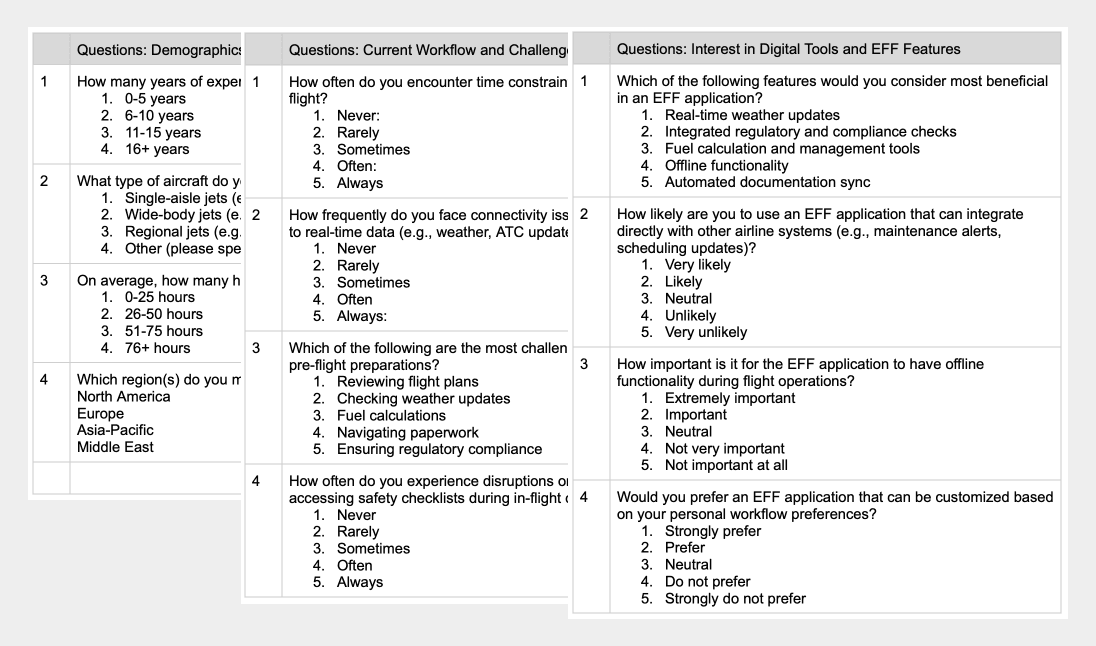
A survey of 80 pilots showed they often face time pressure, connectivity issues and heavy pre-flight work. They strongly preferred EFF features like real-time weather, fuel tools and custom workflows, confirming the need for a more efficient system.

A survey of 80 pilots showed they often face time pressure, connectivity issues and heavy pre-flight work. They strongly preferred EFF features like real-time weather, fuel tools and custom workflows, confirming the need for a more efficient system.

Opportunities to Design Decisions

Opportunities to Design Decisions

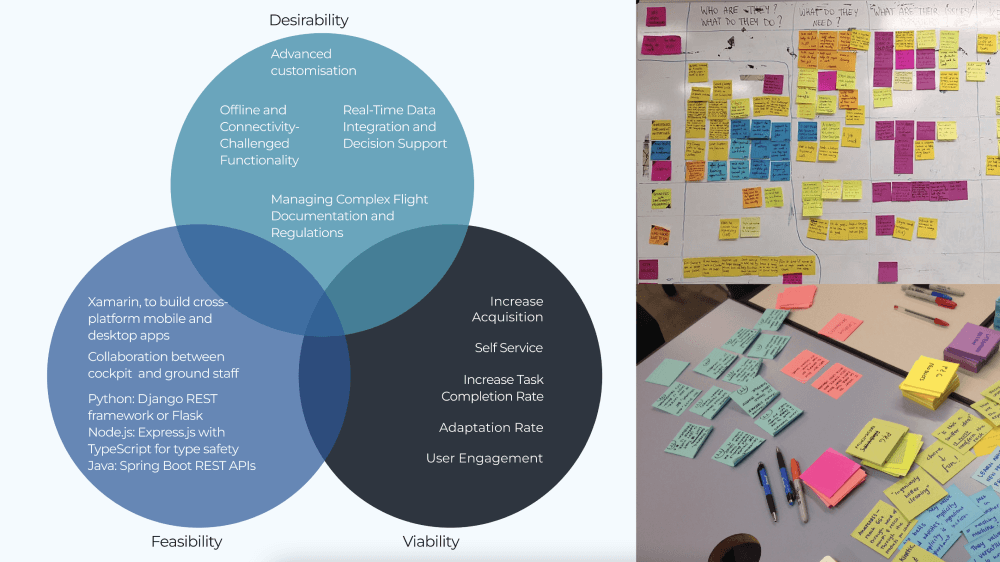
To ensure our efforts aligned with both user needs and business goals, I introduced the "Innovation Dimensions" framework:

To ensure our efforts aligned with both user needs and business goals, I introduced the "Innovation Dimensions" framework:

Integrated flight advisory dashboard
Unifies flight data, weather, fuel, and alerts into a single view, helping pilots make quicker, clearer decisions without toggling between multiple systems.

Digital flight briefing and collaboration
Replaces paper briefs with a shared, live digital folder. Improves coordination between pilots and dispatch, reducing prep time and manual errors.

Customisable workflows and tools
Allows pilots to personalise tools and layouts based on flying style and routes. Boosts comfort, control, and efficiency throughout the flight journey.

Seamless offline and online sync
Keeps key data available even with limited connectivity. Automatically updates when reconnected, ensuring uninterrupted access to flight-critical information.

Integrated flight advisory dashboard
Unifies flight data, weather, fuel, and alerts into a single view, helping pilots make quicker, clearer decisions without toggling between multiple systems.

Real-time weather and fuel Insights
Delivers live weather updates and dynamic fuel planning to avoid surprises. Helps pilots adapt to conditions confidently before and during flight.
Conceptualisation

Conceptualisation

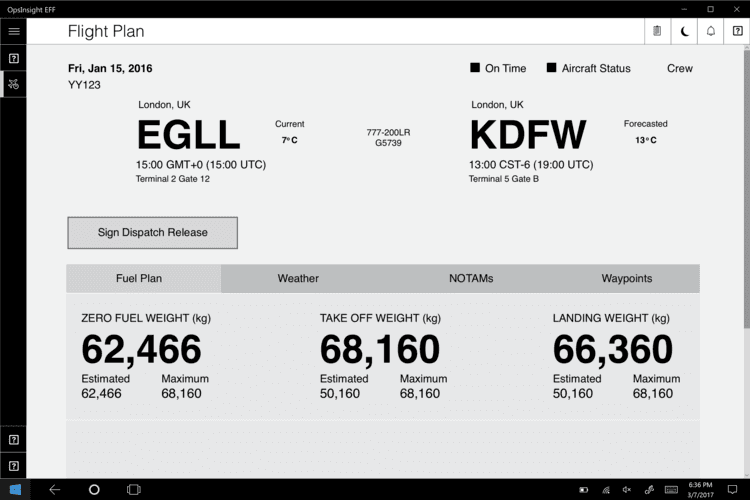
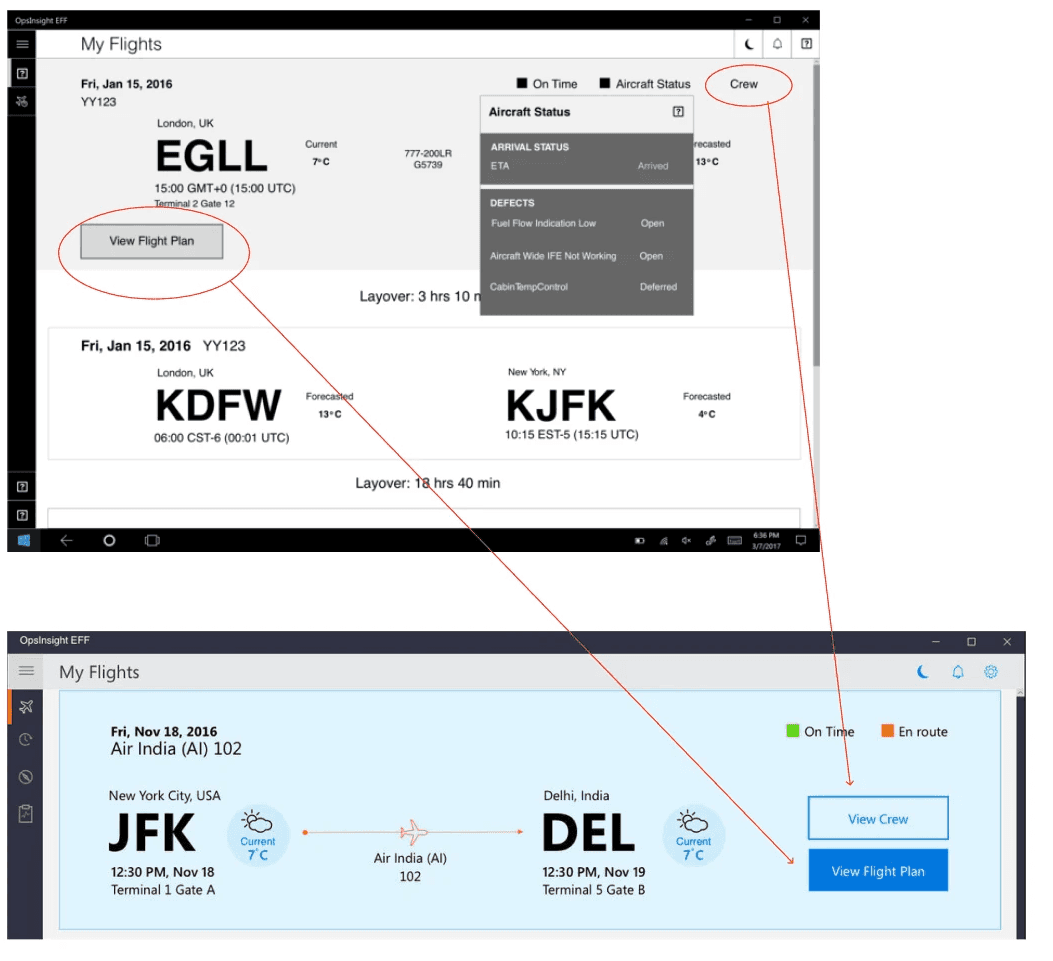
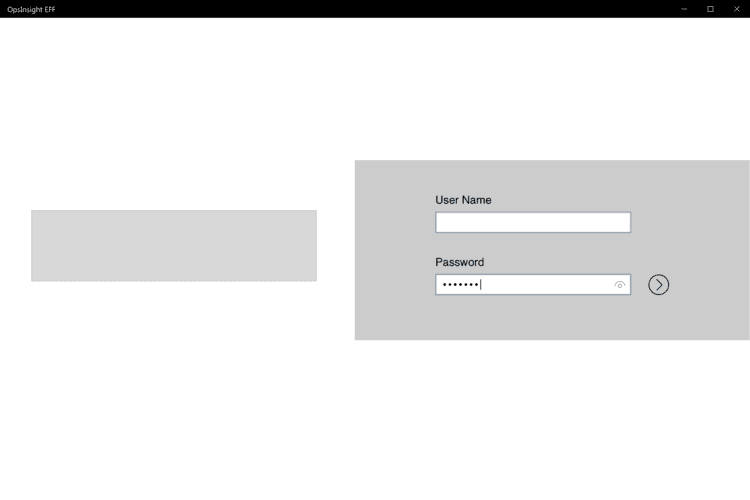
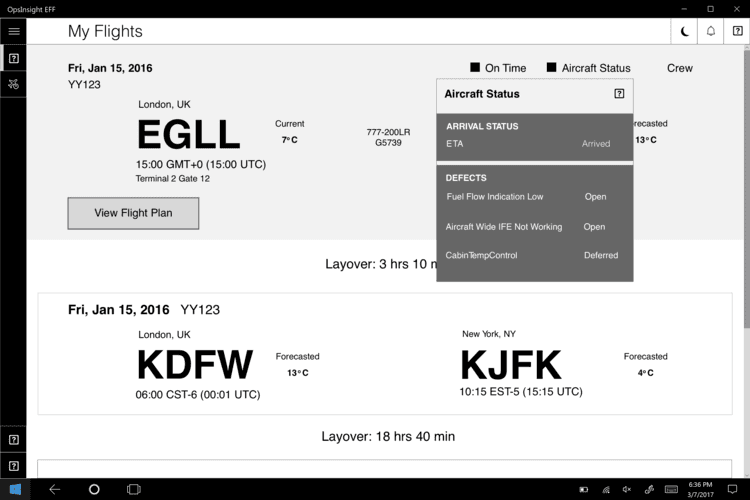
My approach to wireframe for a Windows app to streamline pilot operations with digital flight plan integration, real-time performance data, live weather updates, and automated communication logging, to reduces paper use, improves workflow efficiency.

My approach to wireframe for a Windows app to streamline pilot operations with digital flight plan integration, real-time performance data, live weather updates, and automated communication logging, to reduces paper use, improves workflow efficiency.

Validating with Real Users

Validating with Real Users

Lo-fi prototypes were tested with pilots and stakeholders, driving iterative improvements to the interface and data visualization. This refined key features like fuel plans and weather reports, making them more intuitive and actionable, ultimately enhancing the pilot experience.

Lo-fi prototypes were tested with pilots and stakeholders, driving iterative improvements to the interface and data visualization. This refined key features like fuel plans and weather reports, making them more intuitive and actionable, ultimately enhancing the pilot experience.

User Interfaces for the Cockpit

User Interfaces for the Cockpit

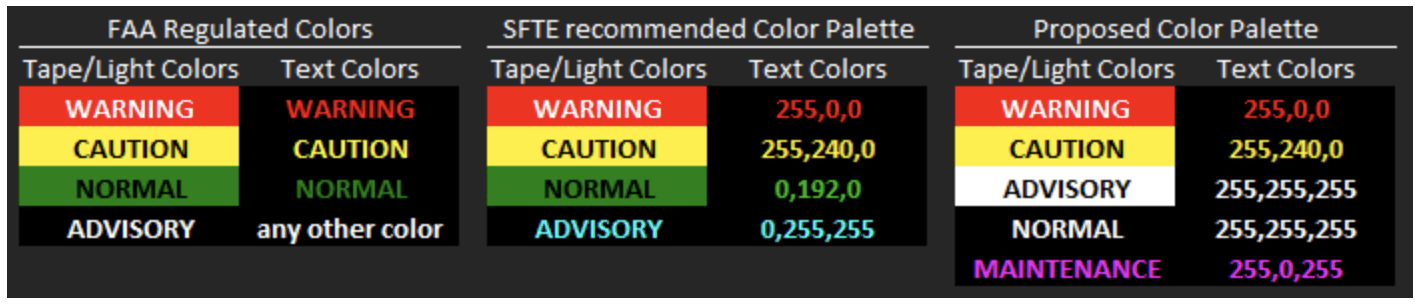
Through research got know the aviation standards compliance guide from SAE, FAA, and EASA, I focused on color schemes, typography that met industry guidelines and ensuring accessibility in flight operations.

Through research got know the aviation standards compliance guide from SAE, FAA, and EASA, I focused on color schemes, typography that met industry guidelines and ensuring accessibility in flight operations.

Learnings

Learnings

UX is strategic business advantage, not just a design choice.
Interface to make critical data immediately accessible during high-pressure moments by adhering to SAE, FAA, and EASA standards. Optimising color schemes and typography for flight operations reduced training time and minimised errors, proving that aligning design with user needs and technical realities boosts efficiency and safety.

Data-Driven Insights enhance design precision.
Regularly analyzing usage data and user feedback provided clarity on the most and least used features, this guided in optimizing the EFF’s interface by prioritizing high-usage functionalities and refining or eliminating low-impact features.

Create a free website with Framer, the website builder loved by startups, designers and agencies.